DeskDay April 2025 product update note: Here’s what you’ve been waiting for!
This month’s product update brings features that directly tackle the daily operational friction you have been facing as an MSP.
Whether it’s automating routine tasks, improving how your team communicates with end-users, or cutting down unnecessary alerts, this update is built around clarity, control, and efficiency.
From behind-the-scenes refinements to powerful new modules, every improvement is designed to save time, reduce human error, and deliver a more consistent experience to your end users.
Here’s a breakdown of what’s new—
What’s new in DeskDay?
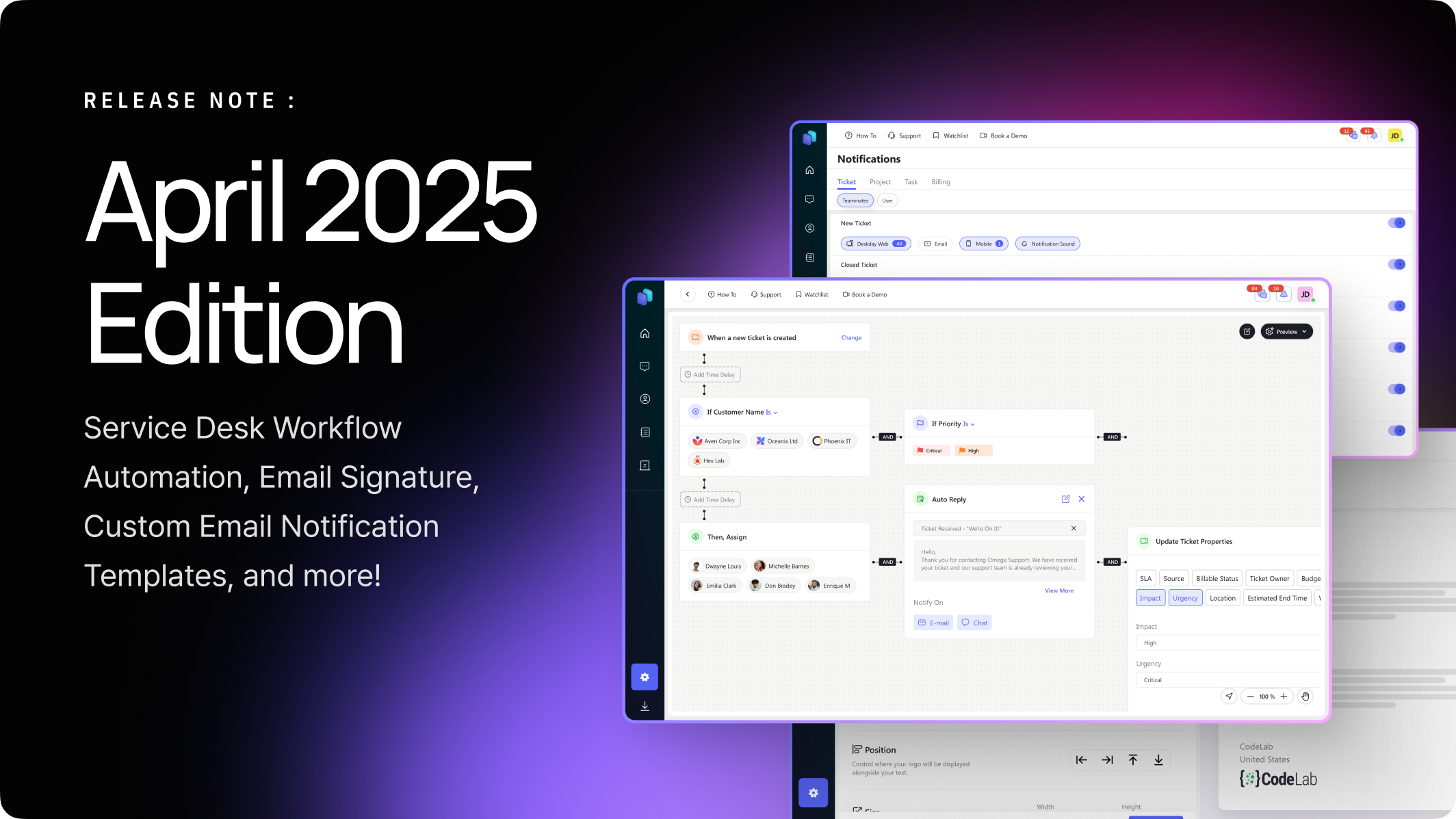
Automate Repetitive Ticket Actions with Service Desk Workflow Automation
Say goodbye to repetitive manual steps. Our new Workflow Automation module lets you automate ticket actions based on custom triggers and conditions—so your team can focus on solving problems, not shuffling them.
Company-wide and Personal Email Signatures for Consistent, Branded Communication
Now you can set company-wide email signatures for all outgoing messages while allowing individual techs to personalize their own —ideal for maintaining a professional tone across diverse teams.
Smarter Notification Settings with Role-Based Customization
We’ve overhauled the notification settings UI to make it easier to control who gets notified, when, and how—based on technician roles and ticket types. Cuts out notification noise and ensures the right people are alerted at the right time.
Fully Customizable Email Notification Templates
No more boilerplate messages. You can now design and tailor every part of your email notification alerts—subjects, body, dynamic variables—to fit your tone and service expectations.
Additional Updates & Enhancements
- Introduced a new onboarding tour to help newly signed-up MSPs get up to speed with DeskDay’s core features faster.
- Refined the Notification Settings UI to improve clarity and make role-based visibility more intuitive for teams.
- Updated content on Control Centre cards to make key actions and metrics easier to understand.
- Added a system-generated user that can send automatic replies based on Workflow Automation rules—helping MSPs deliver instant, rule-driven responses.
- Updated the “What’s New” icon in the Service Desk drawer to better highlight recent product updates.
- Introduced a card view layout for Billing Templates to simplify scanning and managing pricing structures.
- Reorganized Service Desk Templates, Billing, Email, and Canned Notes under a unified “Templates” section in Account Preferences—making navigation and template management more centralized.
- Added access controls for workflows, templates, and signatures under Roles & Permissions, giving MSP admins more control over what each technician can view or modify.
Bug Fixes & Improvements
- Fixed issues with subscription cancellation and renewal during the grace period to avoid billing interruptions.
- Resolved errors when editing task names from the Project Details screen.
- Fixed missing email notifications when messages were sent—ensuring clients and techs stay in the loop.
- Sample timesheets now load properly when adding sample data during signup, improving onboarding clarity.
- Updated the resource type label from “Support Assistant” to “Technician” to better reflect MSP terminology.
- Renamed email reports to “Tickets by Techs” for clearer insights into team performance.
- Enabled copy-paste functionality while creating tickets via the Teams Bot—boosting speed and ease of use for remote support.
- Updated the graph label in reports to “Billable Tickets” for more accurate billing analysis.
- Reordered columns in the “Tickets by Users” report to improve readability.
- Fixed email notification issues in Projects to ensure all project updates are properly communicated.
- Fixed a bug that prevented user deletion in certain account scenarios.
- Corrected recurring invoice start dates when generated from contracts, ensuring billing starts on the right date.
- Fixed ticket status update notifications not appearing in the IT-Connect System app.
- Resolved issues with pasting images in Teams apps—making ticket documentation easier.
- Fixed missing email alerts when resources send chat messages from IT-Connect.
- Ensured that mobile notification settings in IT-Connect save correctly after refresh.
- Corrected inaccurate values in the “Time Utilization by Period” report to reflect actual work hours.
- Fixed incorrect result counts in Reports to show true ticket/query data.
- Resolved “undefined” values in new tickets when only Admin and Assignee were selected.
- Fixed missing customer details in N-Central-linked tickets when opening the Customer Details drawer.
- Ensured real-time notifications work without requiring a page refresh—boosting technician awareness.
- Stopped notifications from being sent when both the customer and the ticket have limited access settings.
- Fixed a rare issue where time entries duplicated in invoices for fixed contracts marked as ‘Ready to Bill’.
- Corrected contract end dates being saved one day later than the selected date.
- Fixed missing summaries in submitted timesheet entries.
- Improved push notifications for resource app attachments to be more descriptive.
- Fixed errors when adding tags to ticket templates.
- Added a subscription warning when reactivating a user without available seats—helping MSPs manage licensing better.
- Ensured recurring invoice values reset to zero after contract expiry—avoiding billing inaccuracies.
- Limited editing of Notes and Time entries in tickets and tasks to within 48 hours, for better audit control.
- Fixed missing time entry splits on web for entries submitted via the resource app.
- Ensured scheduled recurring invoices activate automatically when due.
- Improved login validation—users now get a clear error when using a comma in an email address.
- Cleared sample project data and task counts during setup to prevent onboarding confusion.
- Ensured contracts automatically become inactive after their end date to maintain accurate contract tracking.


 Team DeskDay Team DeskDay


