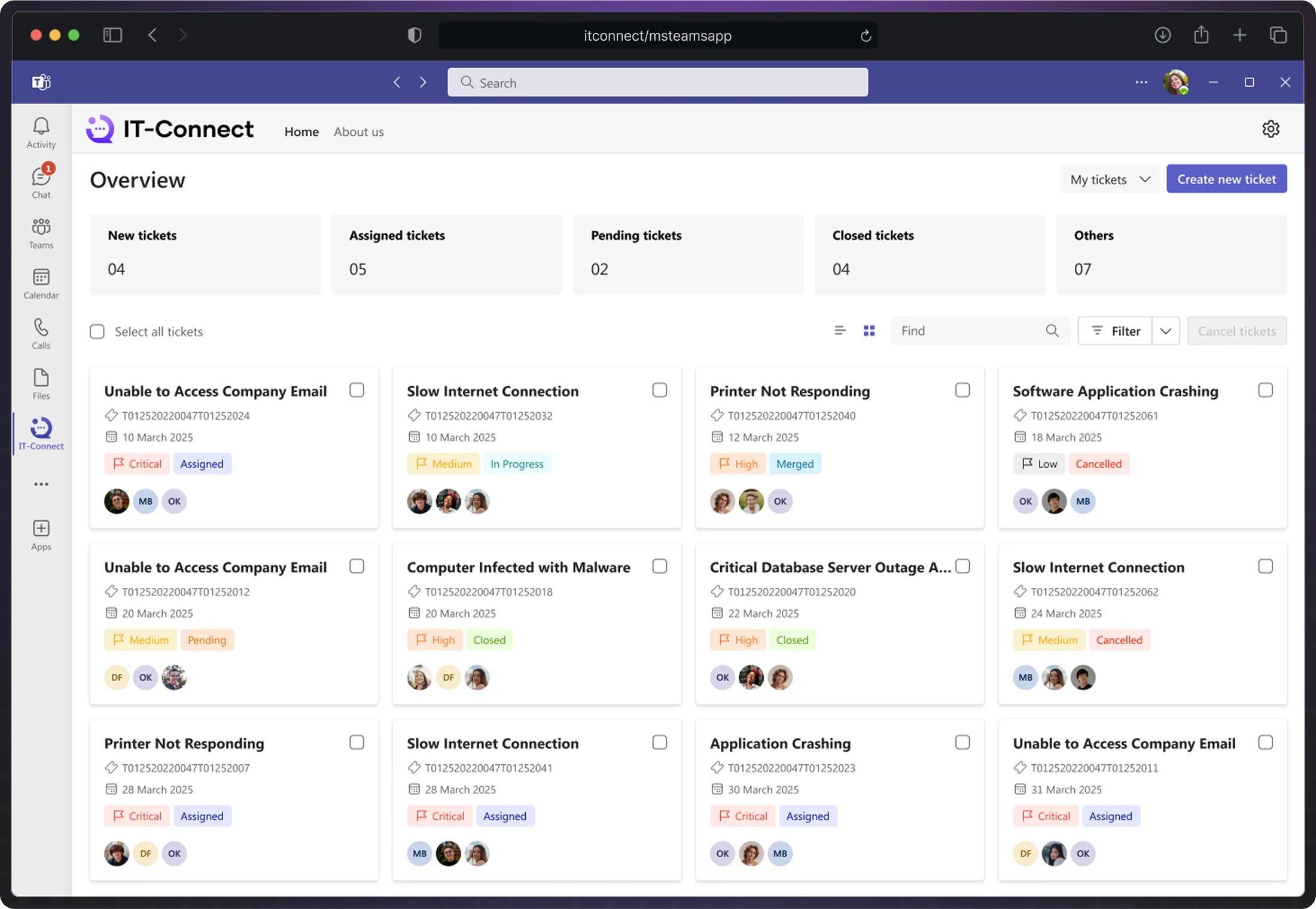
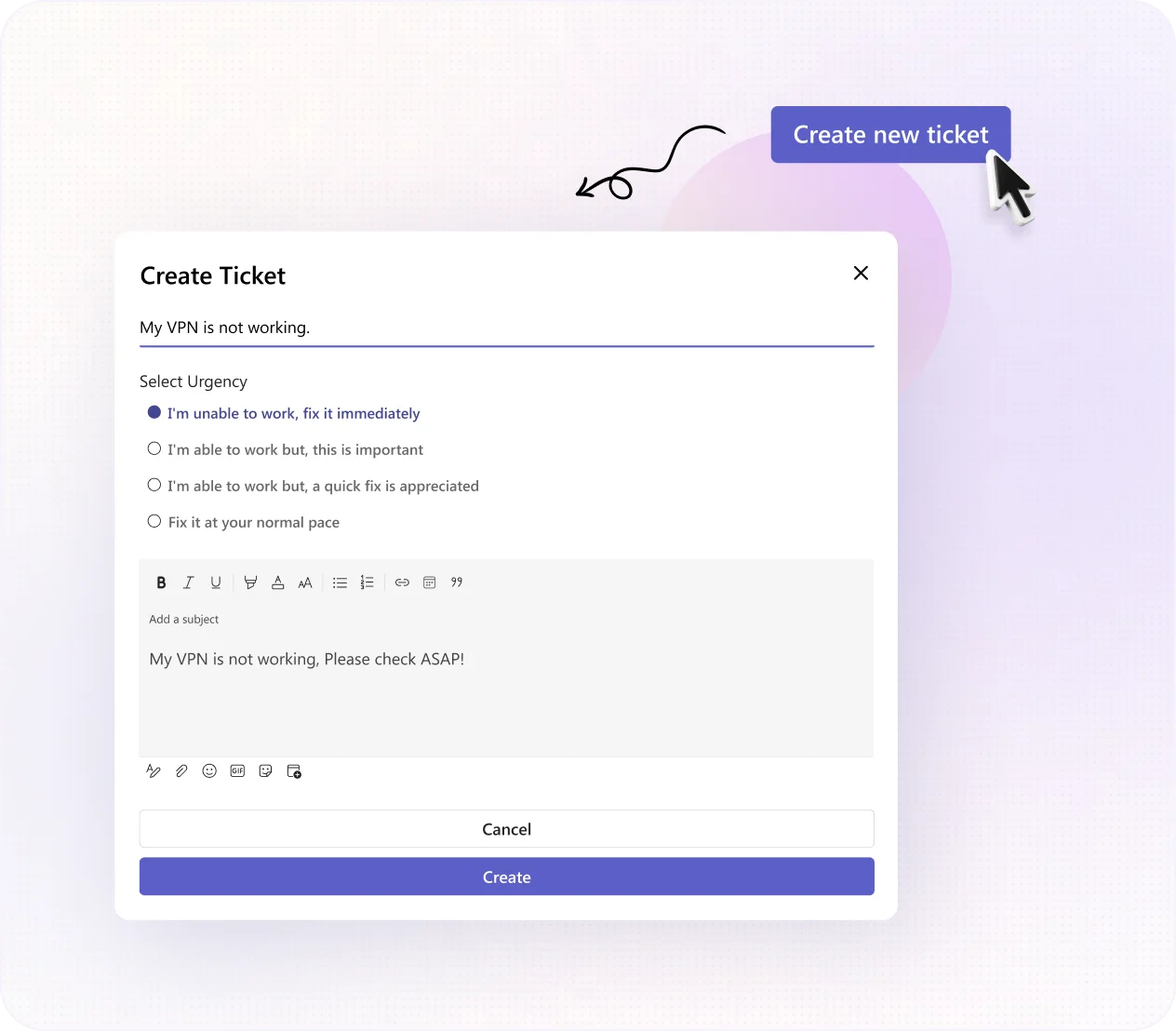
Users can raise a ticket in Teams with just three clicks—seamlessly integrated into their chat workspace.
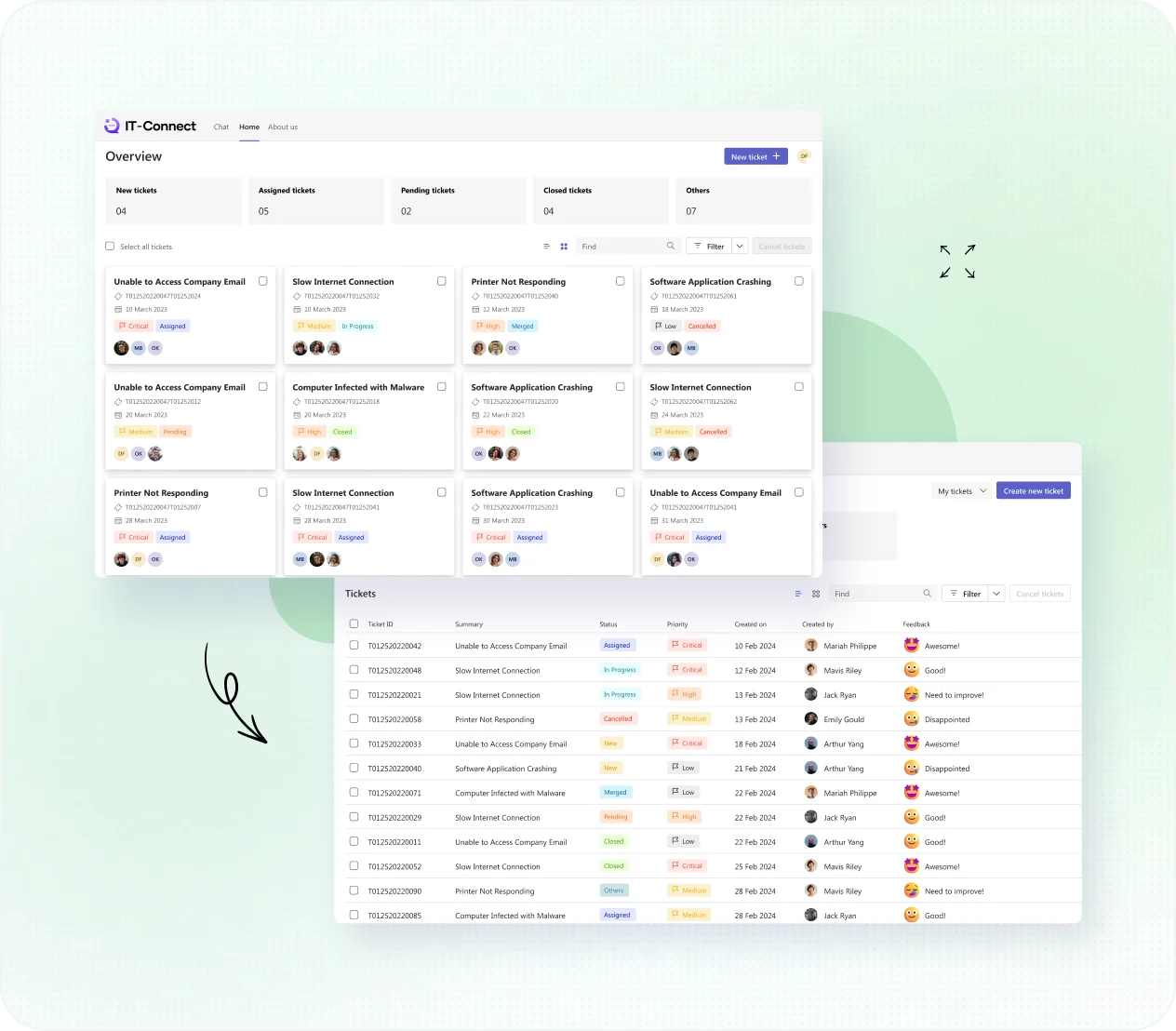
Effortlessly switch between Board and List views for comprehensive ticket management. Empower your users with real-time status updates, boosting their trust in your support.
Your tech can chat directly with your users for real-time resolutions. Fast, personalized help that cuts down wait times.
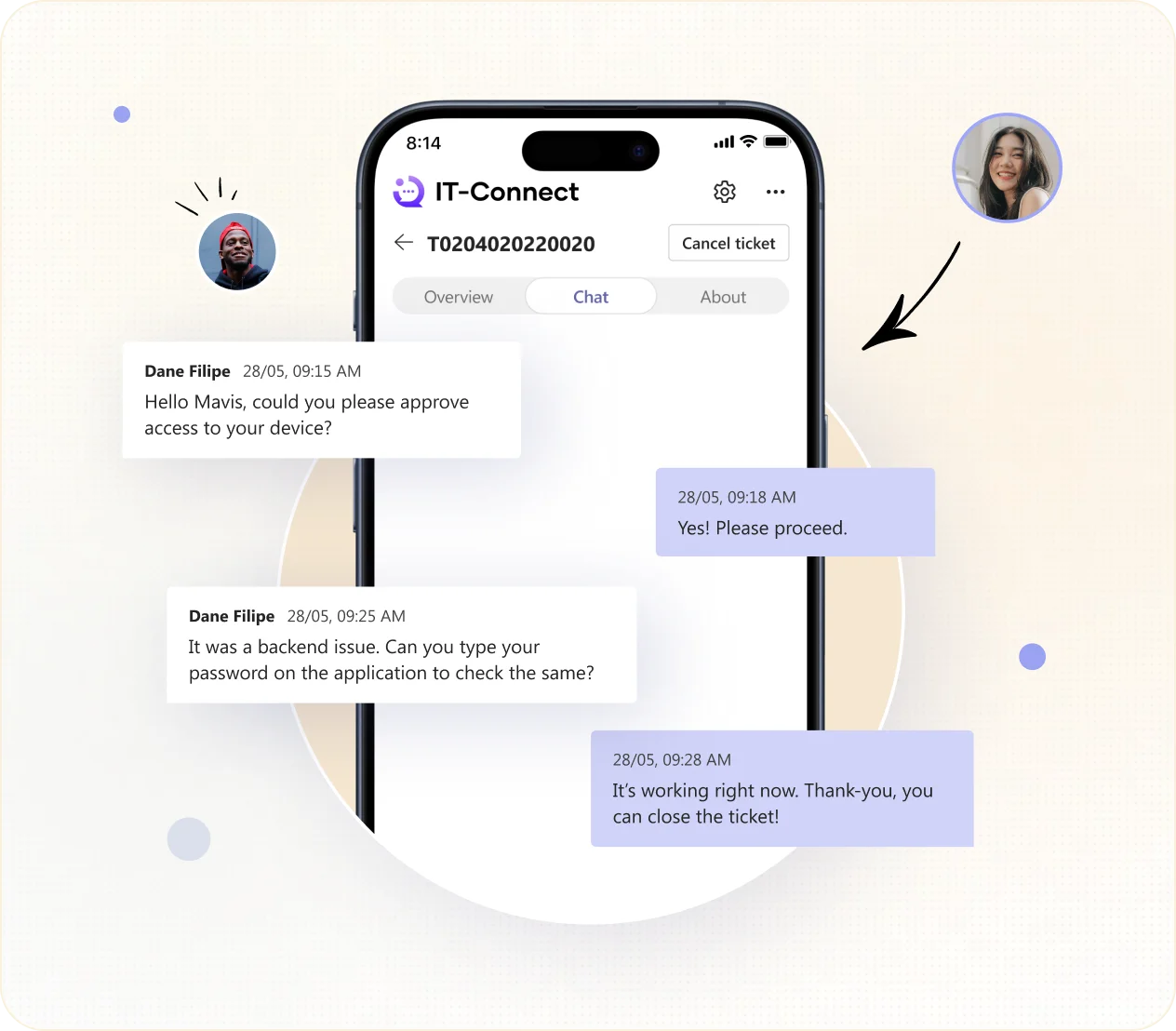
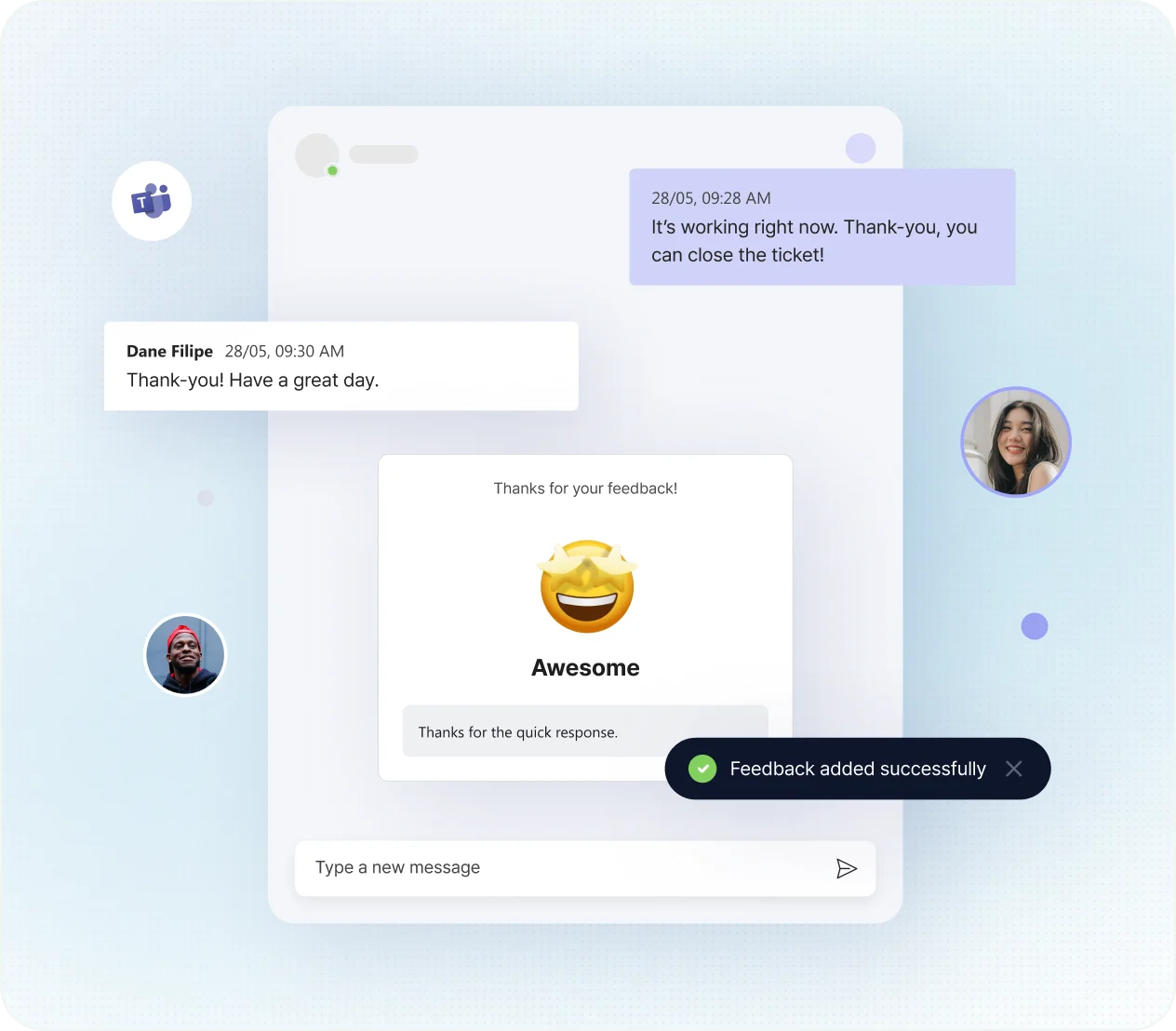
Urge your users to share their support experiences right in Teams. Their feedback drive refinements in your support delivery.
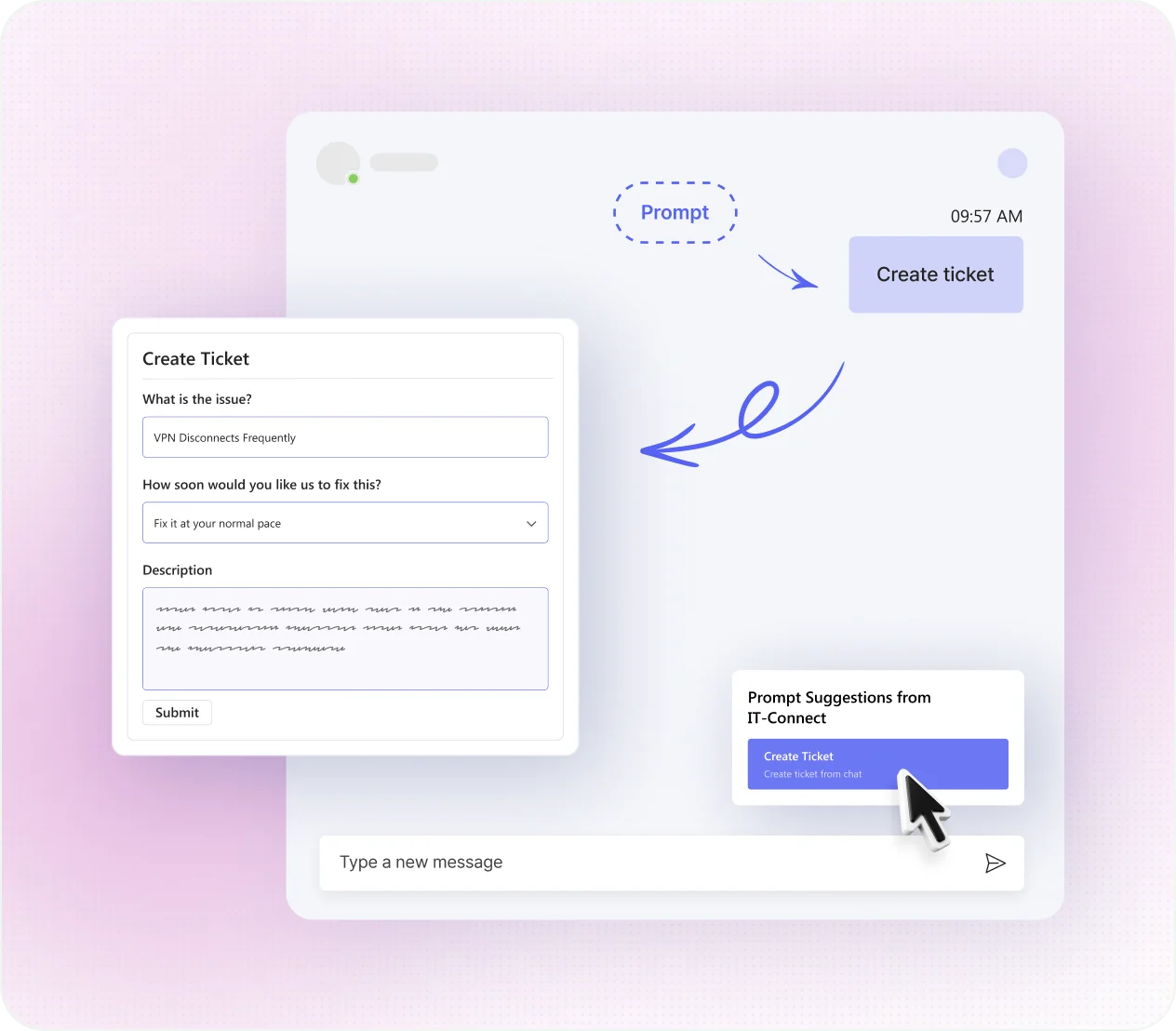
Reporting issues through Teams is now as easy as a quick chat. Our bot simplifies ticket submissions, elevating efficiency and user satisfaction.
Across IT-Connect, empower your users with seamless simplicity and efficiency!
Explore More Announcements for instant alerts!
 Logins made easier than ever with SSO!
 Ticket templates for easy ticket creation!

IT-Connect is a built-in end-user app in DeskDay available for Microsoft Teams, apart from mobile, desktop, and web, that lets users raise, track, and manage helpdesk tickets right inside Teams, without leaving their primary communication hub.
Users can find IT-Connect in the Teams App Catalog and click Add. Once installed, they can sign in (or use SSO if configured) and start submitting tickets.
Yes. Tickets raised via Teams connect directly with your DeskDay PSA backend, keeping status, conversations, and updates unified across platforms.
Yes. Users can see their list of active and past tickets from the app’s Home tab, keeping support context at their fingertips.
Absolutely. Techs and end-users can message each other within Teams for faster, more personal support without switching tools.
By embedding ticketing and chat in Teams, users and techs stay in one workflow, cutting context-switching and accelerating resolutions.
Yes. The app includes bot-driven ticket prompts that let users submit issues faster through simple chat interactions.
Yes. You can configure SSO for seamless access so users don’t need to manage separate login credentials in Teams.
Tickets and conversations stay synchronized across channels. A user can start a ticket in Teams and continue elsewhere without losing context.
After resolution, users can provide feedback directly through the Teams app, helping you measure satisfaction and improve service delivery.