Starting your MSP's documentation journey? DeskDay's Native Knowledge Base is the only KB you'll ever need, built directly into the ticketing system. Techs find answers, procedures, or steps without leaving the ticket.
Your team documents solutions every day. But when that knowledge lives outside your service desk, it can't help when it matters most.
“That's time lost. And for a small team, every minute counts.”
Technicians spend 20-30% of their time hunting for solutions across multiple platforms, wikis, and shared drives.
Jumping between your PSA, documentation tool, and ticket system breaks focus and slows resolution times.
Critical solutions stay locked in individual technicians' heads or scattered across disconnected systems.
Specifically for how MSPs actually work, not just another generic wiki.

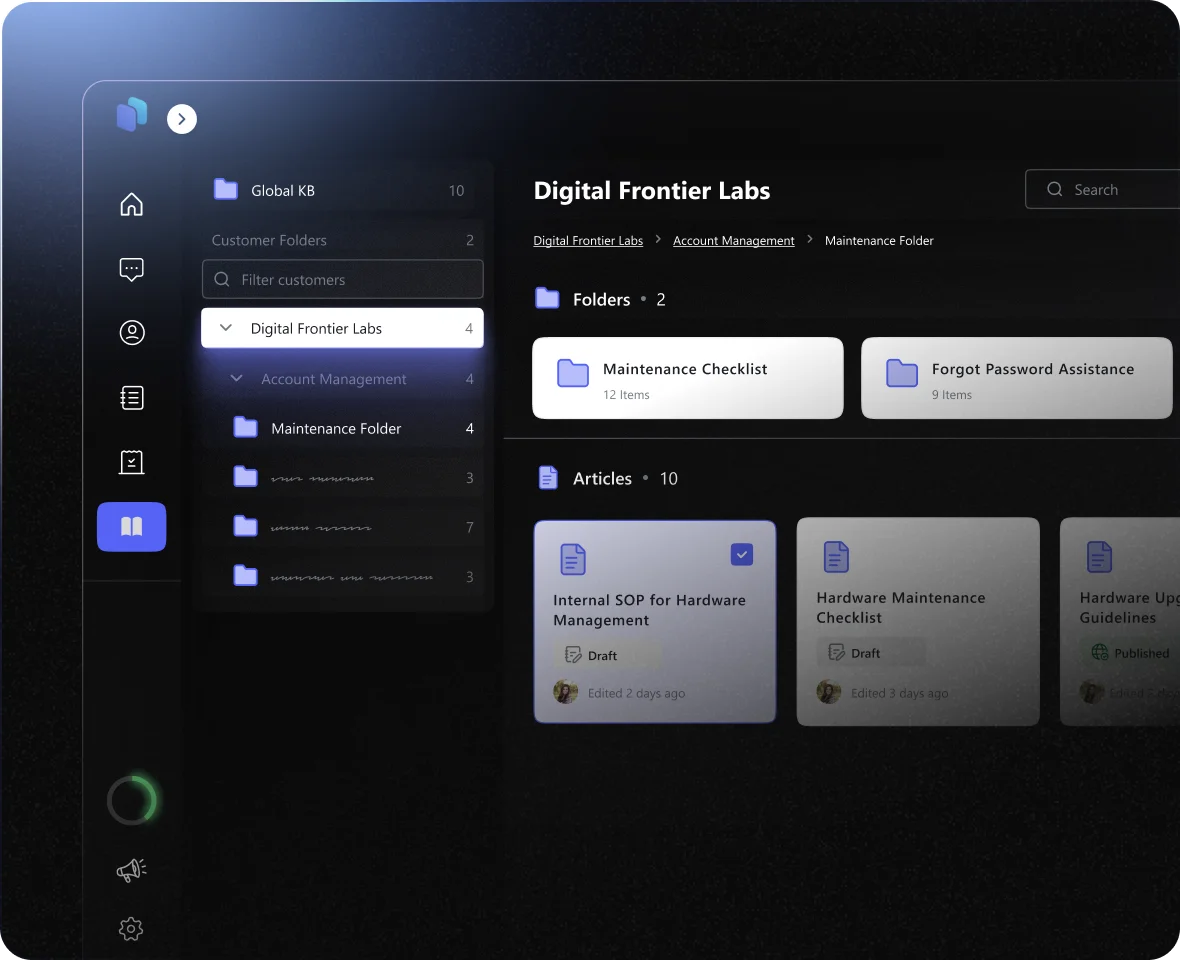
Manage knowledge the way you manage your clients. Create global SOPs and troubleshooting guides applicable to all clients under Global KB and securely silo unique client documentation, network diagrams, and site-specific procedures under the Customer Specific folder.
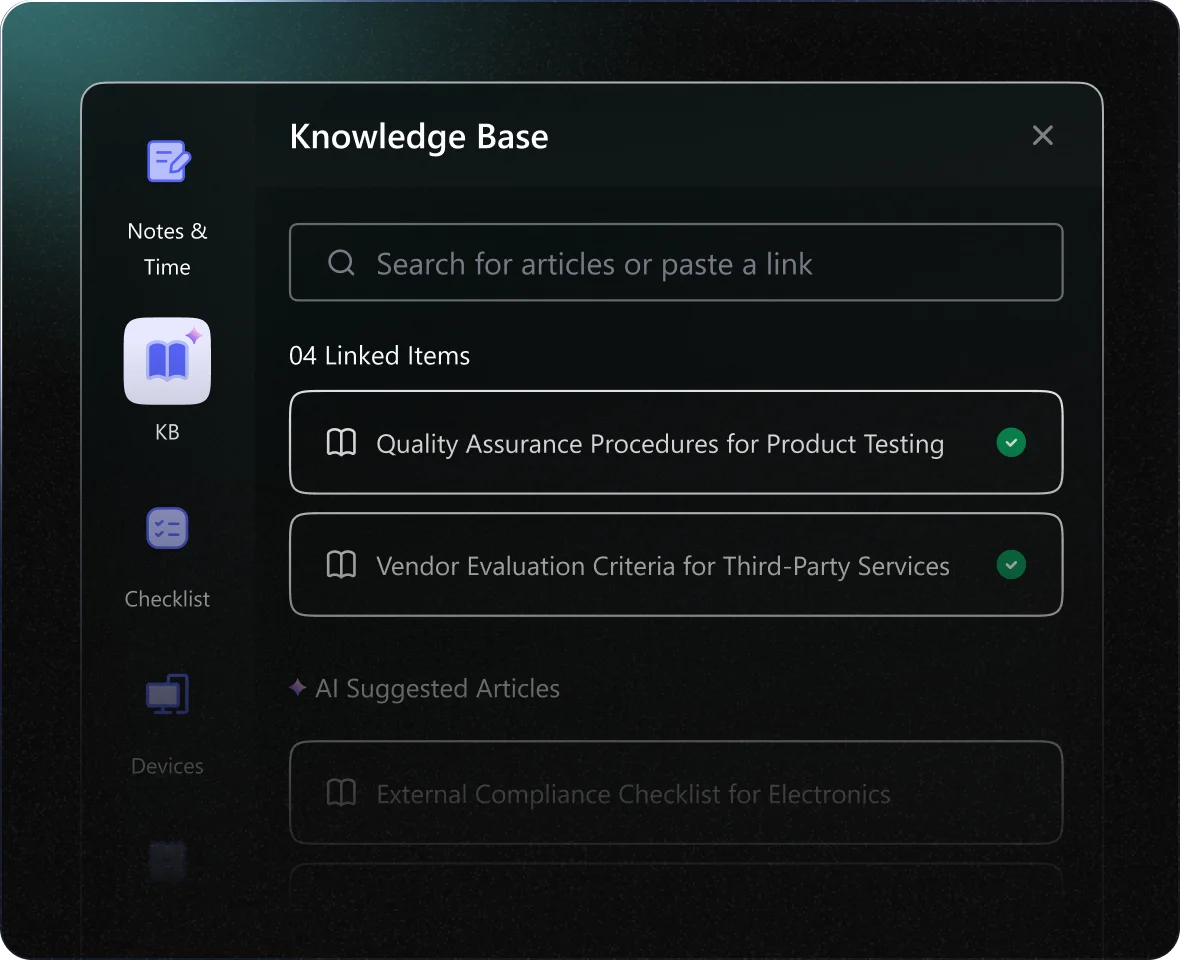

Link relevant articles directly to tickets through the integrated KB section. Knowledge becomes actionable at the exact moment your technicians need it, right inside the ticket.
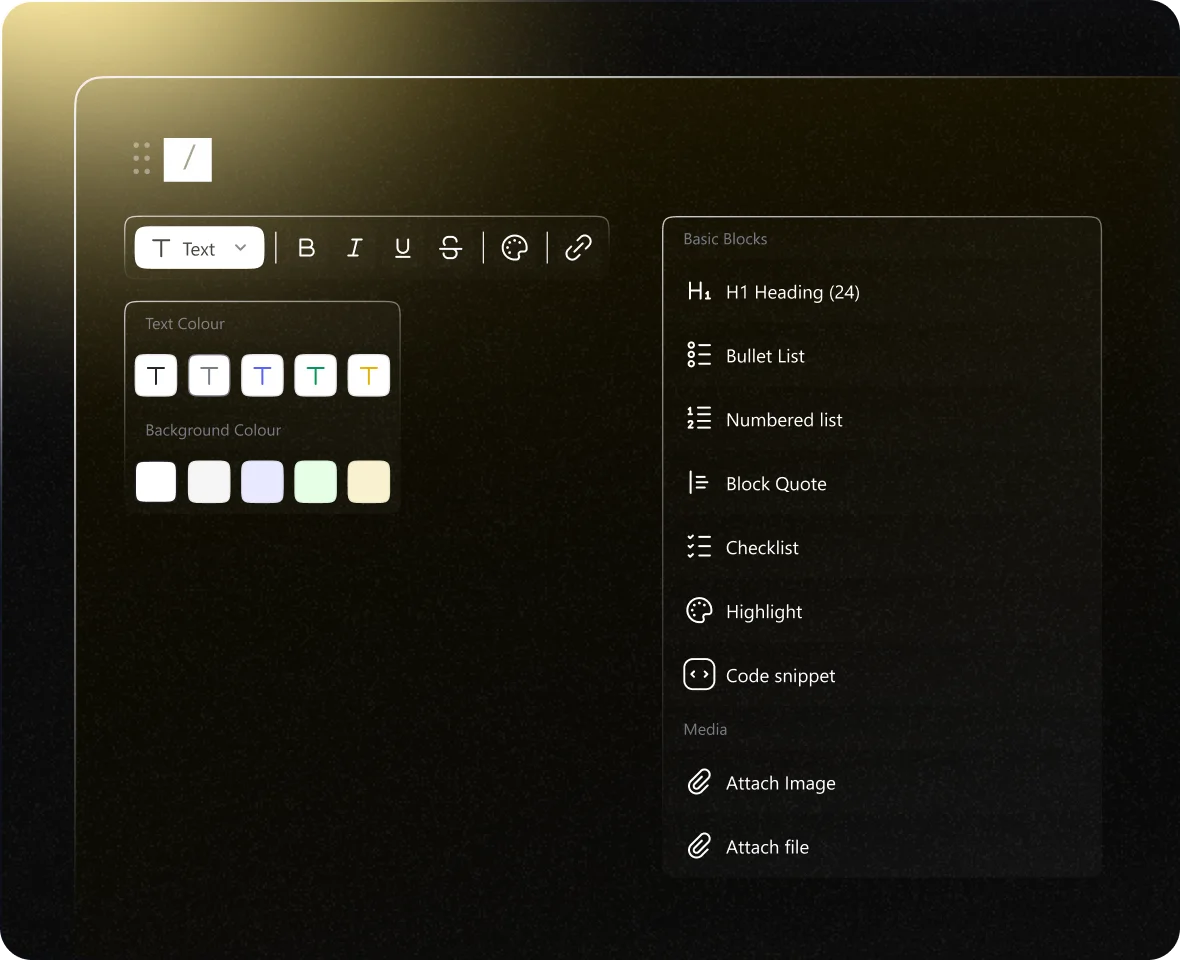
Go beyond plain text. Create documentation that actually helps, with images, embedded videos, and code snippets. Whether you're building training materials or solution guides, rich content makes knowledge easier to follow and faster to apply.
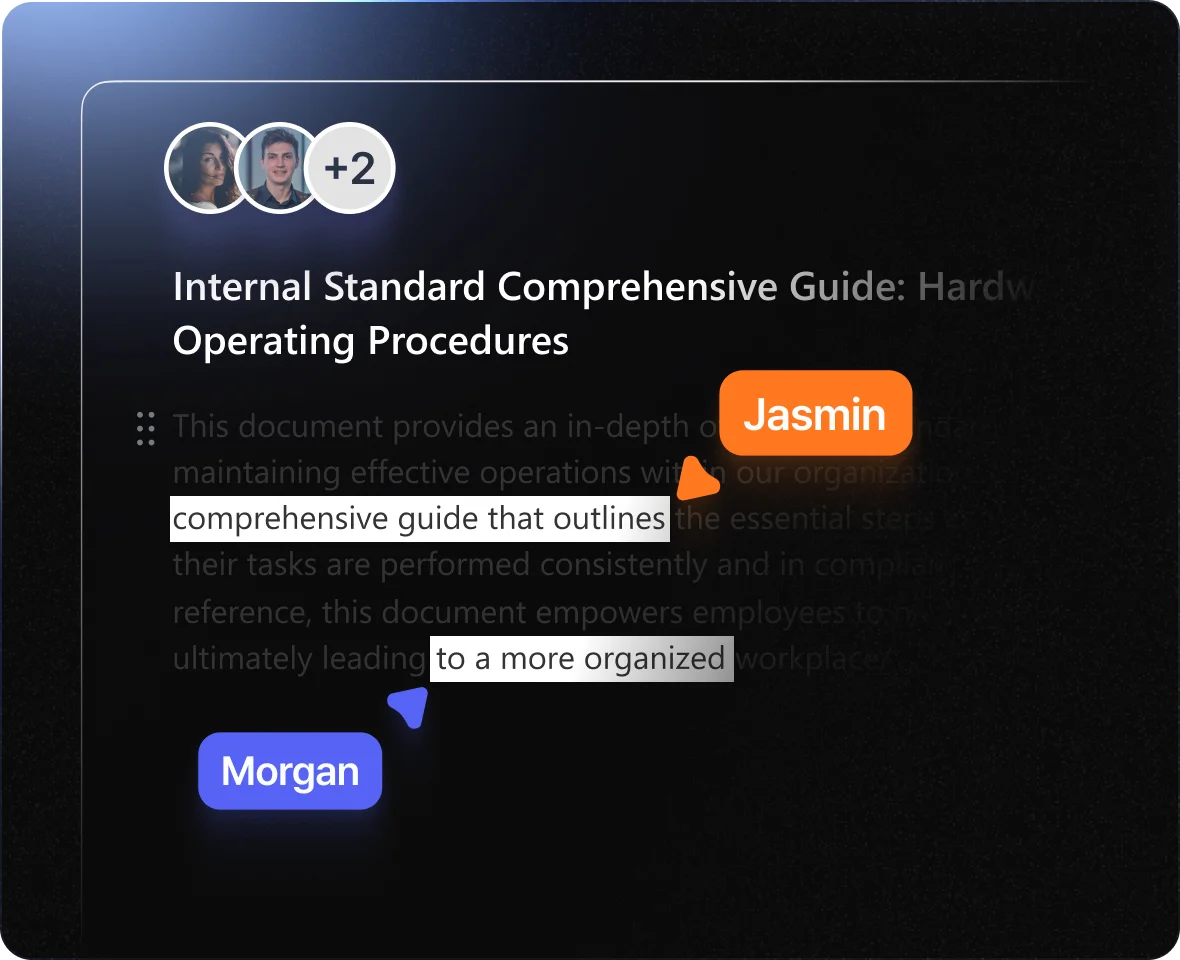

Multiple techs can co-edit the same KB article simultaneously, Google Docs-style, with live cursors and instant visibility into each other's changes. No version conflicts, no waiting for someone to finish before you can contribute.

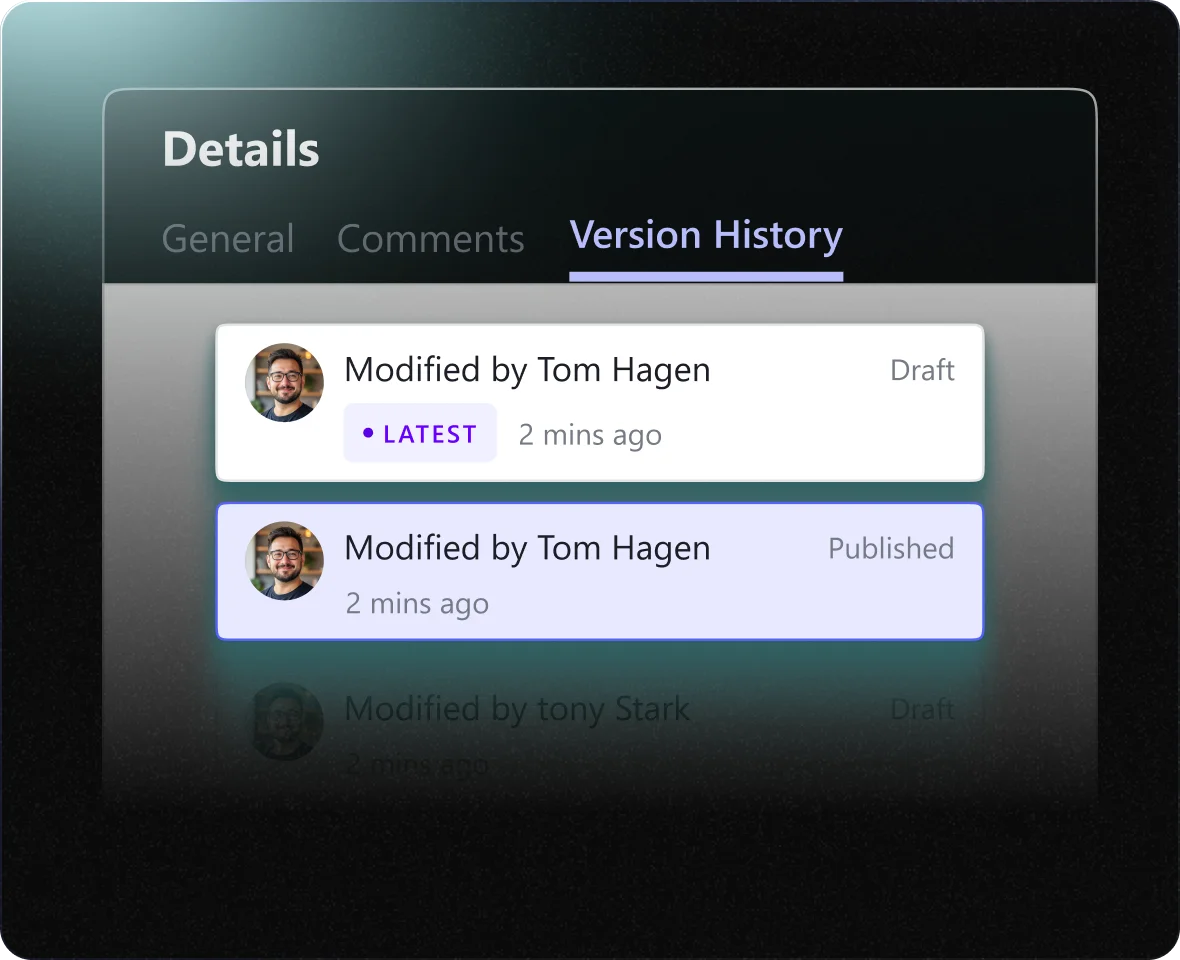
Track every change with a comprehensive version history. See who made changes, when they were made, and easily restore previous versions if needed.
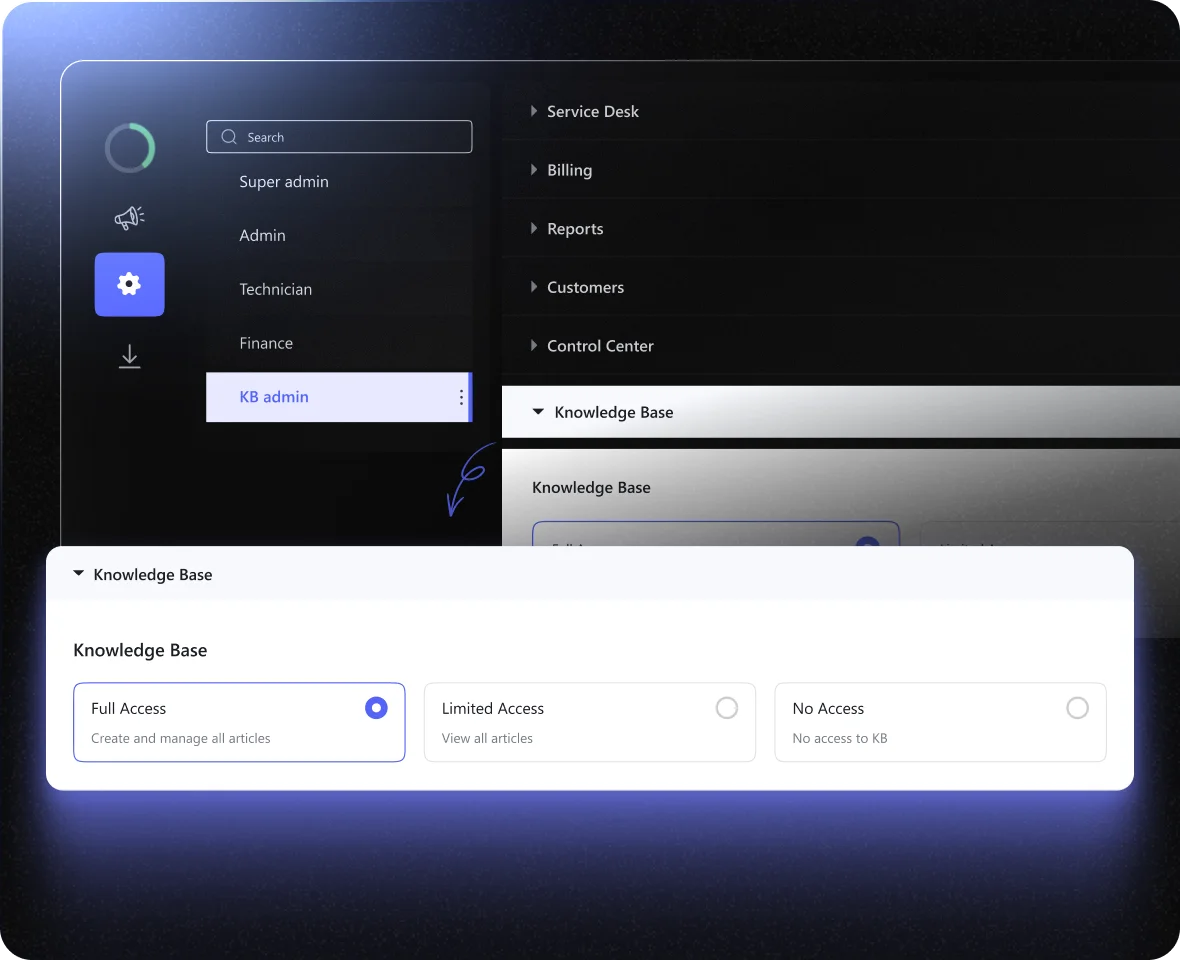

With Role-Based Access Control, admins can set permissions at the article or category level with three access tiers, View, Edit, or No Access. This ensures sensitive documentation, like client-specific procedures or internal policies, is only visible to authorized techs.
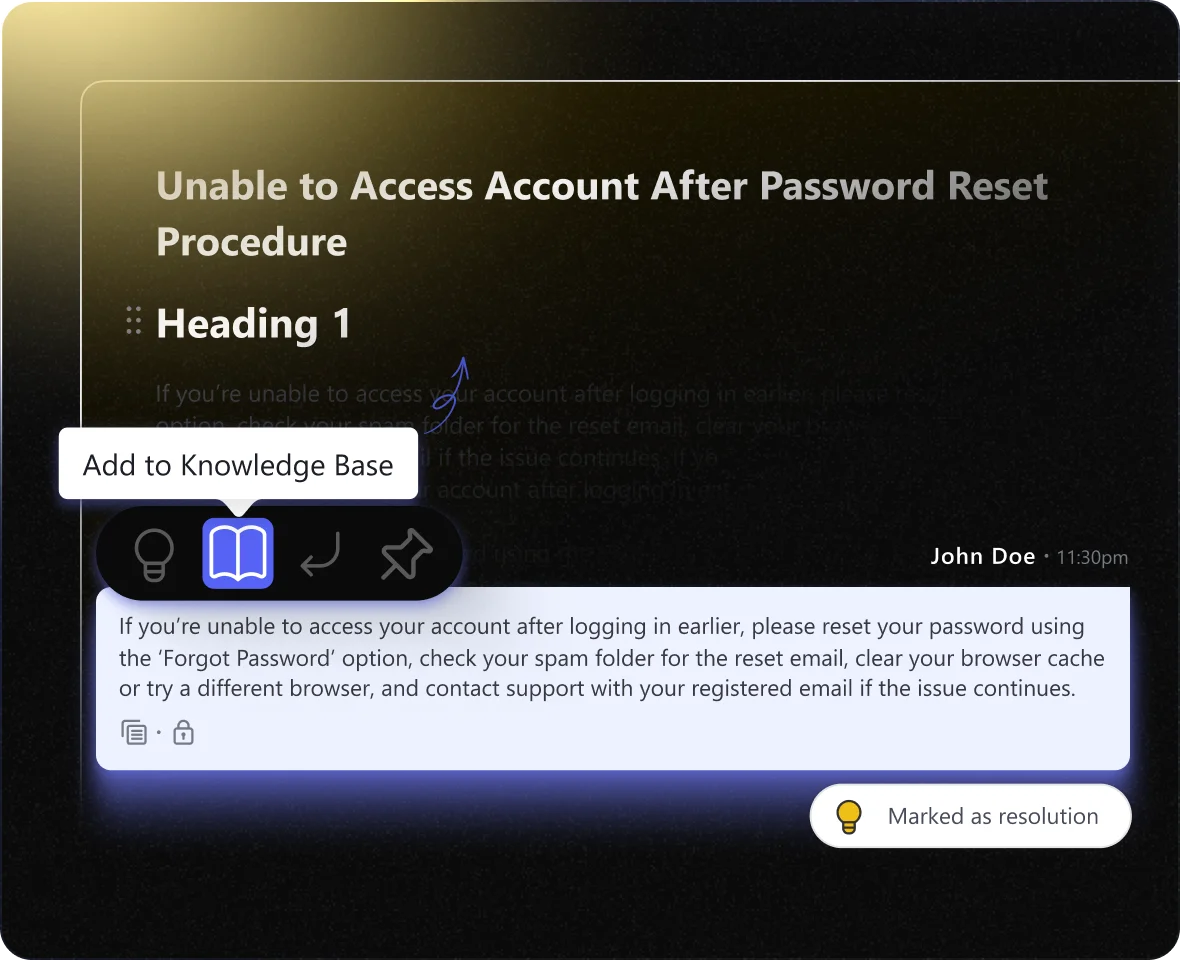
Techs can convert resolution notes or specific chat conversations directly into KB articles with a single action. No rewriting needed, capture solutions as they happen, and build your knowledge base organically from everyday ticket work.
Built for MSPs who need documentation that actually gets used, not another abandoned tool subscription
The entire KB lives inside the ticket interface. Helena AI auto-suggests relevant articles, AND techs can manually search the full KB, all without leaving the ticket. Read, link, and document solutions in one place.
Document your top issues today, see results tomorrow
Requires opening KB module in separate tabs or different tools. Breaking flow to search elsewhere reduces adoption—techs revert to Google searches or simply skip documentation.
Google Docs-style collaborative editing. Multiple techs co-edit simultaneously with live cursors and instant visibility. No version conflicts, no waiting.
Sequential editing only, one user locks the article while others wait. Or no real-time collaboration, creating version conflicts and merge headaches.
Zero friction. Create articles in 2 minutes while resolving tickets. Convert chat messages or resolution notes directly into KB articles with one click, no rewriting, no copy-paste.
High-friction workflows require leaving ticket context, learning complex editors, or navigating rigid structures. Result: techs avoid documenting and knowledge stays in their heads.
Google Docs-style collaborative editing. Multiple techs co-edit simultaneously with live cursors and instant visibility. No version conflicts, no waiting.
Sequential editing only, one user locks the article while others wait. Or no real-time collaboration, creating version conflicts and merge headaches.
Drag-and-drop images, embedded videos (YouTube, Vimeo, Loom), code blocks with syntax highlighting for PowerShell/Bash scripts, and file attachments.
Built specifically for IT documentation
Limited formatting, text-heavy editors, or legacy systems that strip formatting. Frustration leads to workarounds (screenshots of text) or abandonment.
Dual-scope architecture: Global KB for universal SOPs, Customer-Specific KB for unique client documentation. Organize knowledge exactly how you manage clients.
Either a flat structure with poor organization, or an overly complex taxonomy requiring constant maintenance. Finding the right balance is challenging.
New hires find answers independently instead of interrupting senior techs. Helena AI guides them to solutions as they work. Reduces onboarding from months to weeks.
Without AI suggestions, new techs must search manually or constantly interrupt experienced staff. Slower ramp time, inconsistent service, and senior techs lose productivity.
In small teams, one person leaving = 20-40% institutional knowledge gone overnight. Frictionless capture ensures solutions are documented, not lost in someone's head.
High-friction documentation means knowledge stays undocumented. When techs leave, it disappears. MSPs restart from zero repeatedly, are expensive, and preventable.
Stop paying for separate documentation platforms. Get everything you need in one unified solution.
With KB articles embedded directly in tickets and Helena AI proactively suggesting solutions, technicians spend less time searching and more time resolving. First-touch resolution rates improve when the right answer is always at hand.
When documentation lives where work happens, it actually gets used and maintained. The friction-free experience of creating, linking, and finding articles encourages your team to document solutions as they solve them.
Stop paying for separate documentation platforms. DeskDay's built-in KB and Helena AI deliver the same capabilities, intelligent search, suggested articles, structured documentation—without additional subscriptions.
Through the IT-Connect self-service portal, customers gain access to public-facing documentation. Enable them to find answers independently, reducing ticket volume while improving their experience.