Datto RMM + DeskDay is live now! If you're a Datto RMM user, sign up today to claim your free trial Get Started


DeskDay + Xero integration brings your service delivery and accounting together. Stop juggling tabs. Start getting paid faster.
Your tools should work together, not create more work for you.
Powerful automation that keeps your data in sync across both platforms, so you can focus on what matters most.
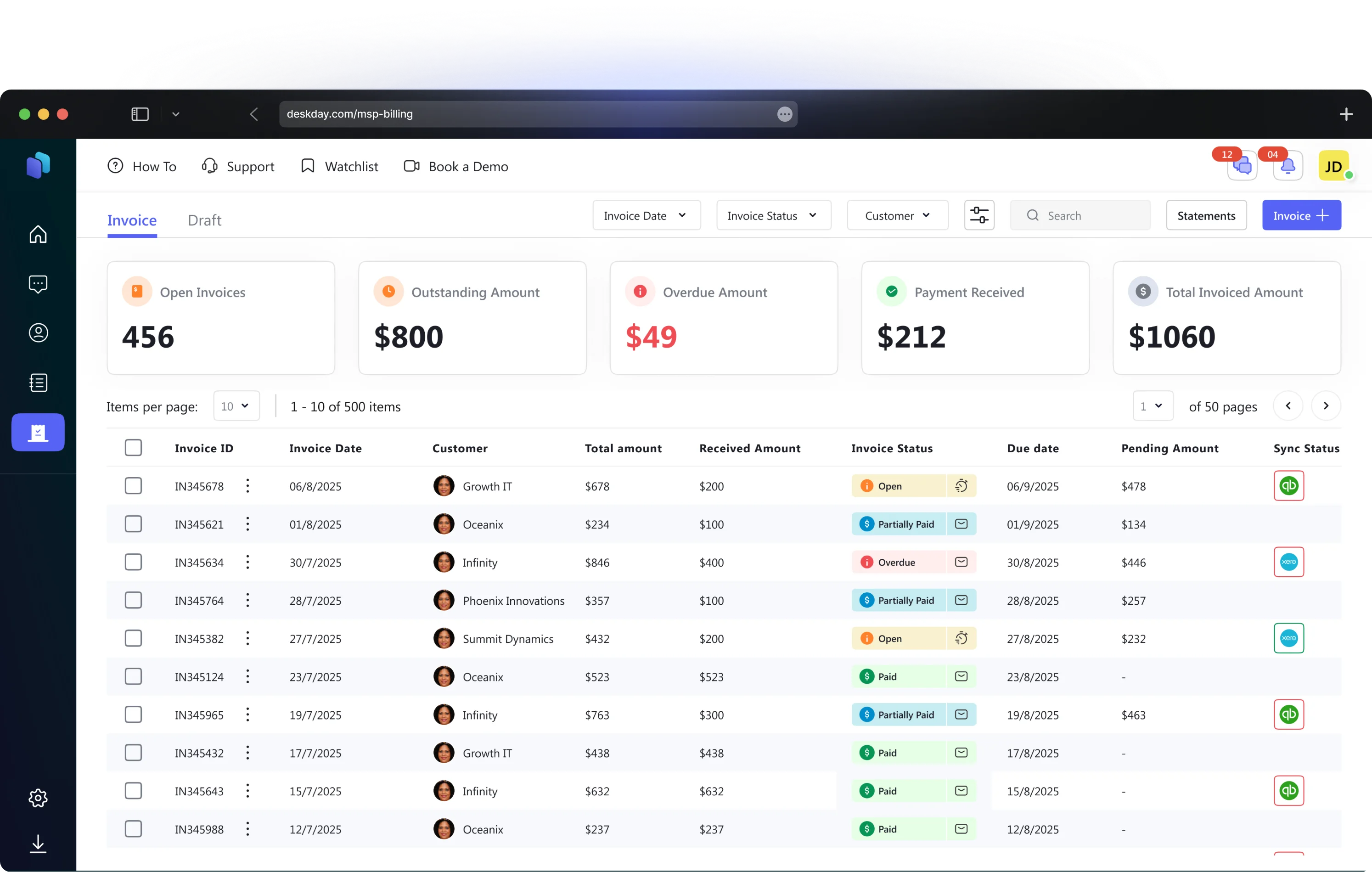
With DeskDay’s one-click Xero setup, you can import all your customer invoices from DeskDay into Xero, ensuring all your critical information is always up-to-date.
DeskDay’s integration with Xero offers true two-way syncing, ensuring status updates made to invoices flow automatically between both systems. When payment updates in Xero, the information stays consistent across both platforms.
Once integrated, any bills or invoices you create within DeskDay are synced in a single click with Xero in real-time, allowing you to keep track of financials without manual updates.
After syncing with Xero, your bills are also connected to payment platforms. You can choose bills to pay directly from Xero or from a payment platform, with each payment being matched to its corresponding invoice in Xero & DeskDay for accurate record-keeping.
Whether you're a lean team of three or scaling past fifteen techs, this integration removes the friction between delivering great service and getting paid for it.
Save hours every week on manual reconciliation and data entry
Reduce billing errors with automated, two-way record syncing
Get paid faster by converting completed tickets to invoices in real time
Keep your team focused on client work, not administrative overhead
Maintain a single source of truth across service delivery and accounting
Setting up the DeskDay-Xero integration is straightforward. Our step-by-step guide walks you through connecting your accounts, configuring sync preferences, and getting your first invoice synced.

It is designed to be effortless. With our one-click setup, you can connect your Xero account and import your customer and service details instantly. There is no need for complex mapping or technical assistance.
Yes. Unlike simple integrations that only push data one way, DeskDay + Xero offers true two-way syncing. If you update a payment status in Xero, it automatically reflects in DeskDay, ensuring your team always sees the most current financial status.
The integration automatically matches the payment to the corresponding invoice in both Xero and DeskDay. This ensures your records are accurate across both platforms without you having to manually reconcile the transaction.
No. Once integrated, you can sync bills and invoices in real-time with a single click. This eliminates the need for "end-of-month" manual exports or data entry.
Yes. The integration is built to import your existing customer details from Xero into DeskDay, so you don't have to start from scratch or duplicate your client database.
After syncing with Xero, your bills connect to your payment platforms. You can pay bills directly from Xero or through a connected payment platform. Each payment is automatically matched to its corresponding invoice in both Xero and DeskDay for accurate record-keeping.
The integration syncs customer invoices, bills, and payment statuses between both platforms. When you create an invoice in DeskDay, it syncs to Xero. When a payment is recorded in Xero, the status updates automatically in DeskDay.
Absolutely. The integration uses Xero's official OAuth 2.0 authentication, meaning DeskDay never stores your Xero credentials. All data transfers are encrypted, and you can revoke access at any time from your Xero account settings.