 Team DeskDay Team DeskDay
For MSPs and internal IT teams, customer support isn’t a supporting function. It is the service.
By 2026, most MSP churn doesn’t happen because of technical incompetence. It happens because of slow responses, lost context, and support experiences that feel stuck in 2012. Industry data shows that nearly 60% of IT service dissatisfaction is tied to response delays and poor ticket visibility, not failed fixes. Even more telling, over 70% of technicians say legacy helpdesk tools actively slow them down due to tab switching, manual updates, and fragmented conversations.
Old-school helpdesks were built for forms, queues, and after-the-fact reporting. MSPs and IT teams today operate in real time inside chat, across tools, under strict SLAs, and with customers who expect constant updates. When a helpdesk can’t keep up, the impact is immediate:
The cost shows up quietly: higher churn, lower CSAT, more reactive firefighting, and shrinking margins.
That’s why choosing the right helpdesk software in 2026 is no longer a tooling decision. It’s an operational strategy. The modern helpdesk has to be fast, contextual, automated, and built around how MSPs and IT teams actually work, not how support used to work.
In this guide, we break down the best helpdesk software for MSPs and IT teams in 2026, compare what each tool does well (and where it falls short), and help you choose a platform that delivers faster support without adding friction for your techs or your customers.
Let’s get into it.
Before you compare logos and price tags, answer these. They cut through the noise fast.
What kind of support workflows will this helpdesk run?
Will it support both external customers and internal IT requests without forcing separate tools?
Who will work inside the system every day?
How many technicians, managers, and admins need access, and how steep is the learning curve?
Which operational features are non-negotiable?
Does it cover ticketing, SLAs, automation, approvals, reporting, and knowledge management out of the box?
Can it adapt to MSP-specific or IT-specific processes?
Does it support customer-specific SLAs, workflows, roles, branding, and data separation?
Where will tickets actually come from?
Can it handle email, portals, chat, Microsoft Teams, phone, and other channels your users already use?
How does pricing scale as ticket volume and team size grow?
Is pricing predictable per tech or per agent, and do advanced features require expensive upgrades?
How are security, access control, and compliance handled?
Does it support SSO, role-based access, audit logs, and data protection requirements?
How easily can you migrate and onboard without disrupting support?
Can you move tickets, knowledge bases, and workflows quickly while keeping teams productive?
Here’s a side-by-side snapshot of popular choices. Prices vary by plan and billing cycle, but this gives you a clean starting point.
| Software | Starting price |
| DeskDay | Start at $59/tech/month |
| Desk365 | Starts ~$12/agent/month |
| Zendesk | Starts ~$55/agent/month (common Suite entry point) |
| Zoho Desk | Starts ~$14/agent/month |
| Freshdesk | Starts ~$15/agent/month |
| Hiver | Starts ~$19/user/month |
| Help Scout | Starts ~$20/user/month |
| Jira Service Management | Starts ~$20/agent/month |
| Spiceworks | Free |
| HappyFox | Starts ~$26/agent/month |
| LiveAgent | Starts ~$15/agent/month |
| ServiceNow | Contact sales |
| Front | Starts ~$19/user/month |
| HubSpot Help Desk | Free, paid from ~$9/user/month |
| Tidio | Starts ~$24/agent/month |
Below are the helpdesk solutions with what matters most: why it fits, what it does well, what to watch, and where it shines.
Best for: MSPs and IT teams that want chat-first support with service desk/PSA workflows (tickets + time tracking + billing) in one place.
What is DeskDay?
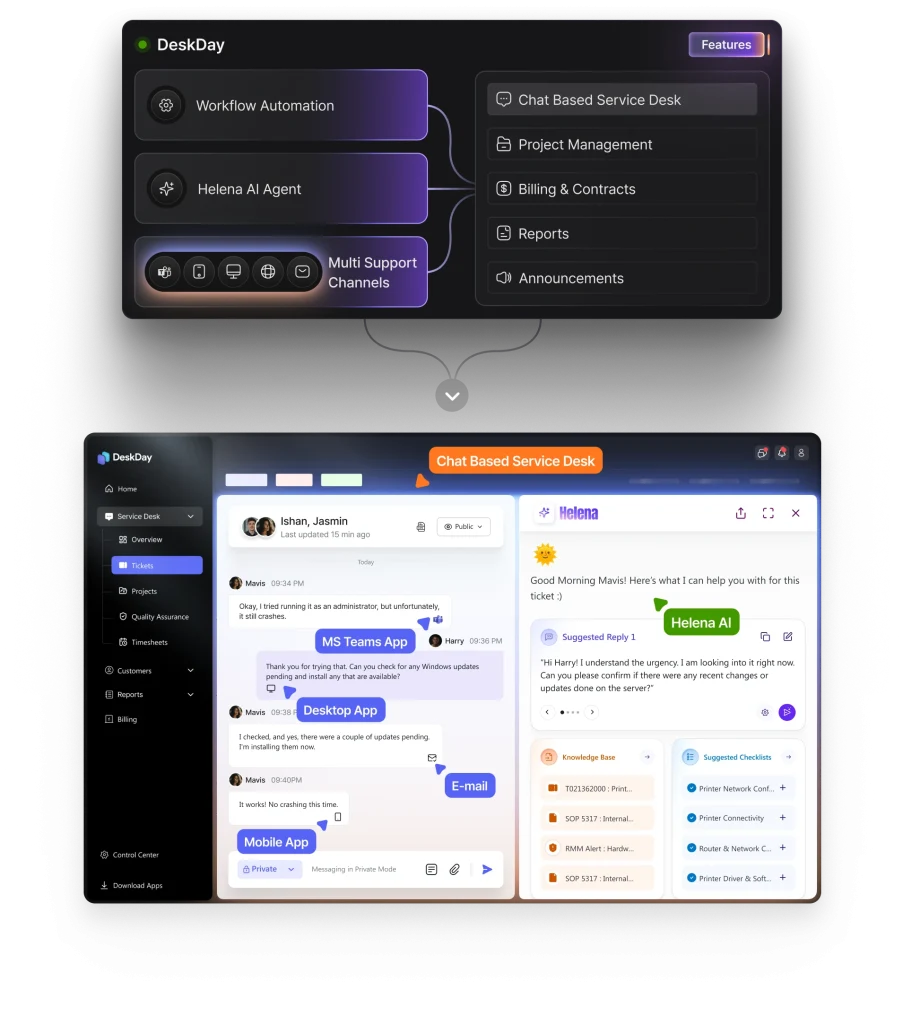
DeskDay is a modern helpdesk and PSA platform designed specifically for MSPs and IT teams. It combines ticketing, time tracking, billing, contracts, reporting, and workflow automation into a single, unified system. The platform is built to reduce tool sprawl and operational friction by centralizing service delivery workflows that are typically spread across multiple systems.
DeskDay uses a conversational, chat-first service desk model that aligns with how customers and technicians communicate today. End users can create and track tickets through IT-Connect, available on Microsoft Teams, web, mobile, and desktop, ensuring faster intake and better visibility. The platform also includes Helena, an AI agent that assists with ticket responses, summaries, and operational efficiency while keeping technicians in control.
DeskDay is designed to support MSP-scale operations with customer-specific workflows, SLA management, and billing alignment, making it suitable for both internal IT teams and external managed services.
Things to watch out for
If you need a massive enterprise ITIL universe with deep platform custom app building, you may still compare it with heavyweight ITSM suites.
Best for: Teams that want a straightforward helpdesk with Microsoft Teams integration and minimal setup.
What is Desk365?
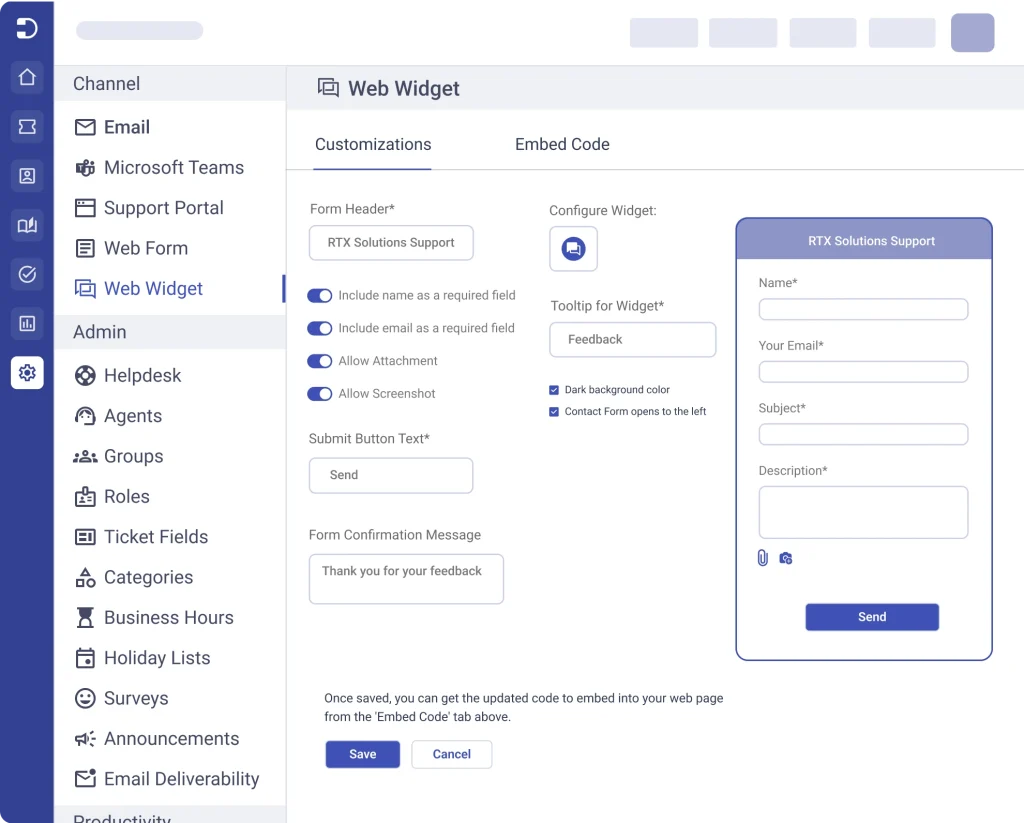
Desk365 is a cloud-based helpdesk focused on simplicity, speed of deployment, and ease of use. It provides core service desk capabilities such as ticketing, SLA management, workflow automation, and reporting without the complexity of full ITSM platforms.
The product integrates closely with Microsoft Teams, allowing teams to manage support requests within an environment many organizations already rely on daily. Desk365 is well-suited for small to mid-sized IT teams that want predictable operations and fast adoption without extensive configuration.
Things to watch out for
As operational complexity increases, teams may require deeper ITSM workflows or broader ecosystem integrations.
Best for: Organizations that want a mature, customizable, enterprise-grade omnichannel helpdesk.
What is Zendesk?
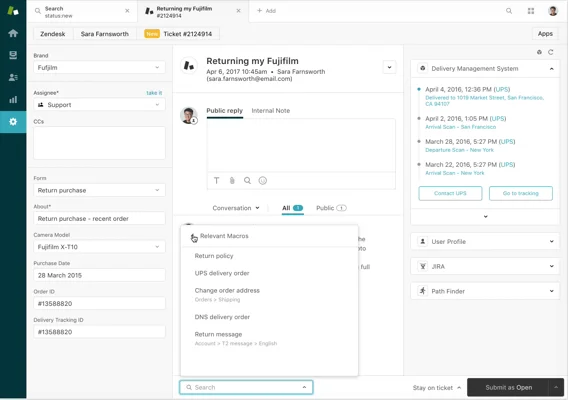
Zendesk is a widely adopted customer service platform built to manage high-volume, multi-channel support environments. It supports email, chat, phone, social channels, and self-service portals within a single system, with extensive automation and reporting capabilities.
The platform is designed to scale from small teams to large global operations and offers a broad marketplace of integrations. Zendesk is often chosen by organizations that require advanced analytics, custom workflows, and strong cross-channel visibility.
Things to watch out for
Licensing costs and administrative complexity increase significantly as advanced features and channels are added.
Best for: Budget-savvy teams that want strong automation and multi-channel support with ecosystem continuity.
What is Zoho Desk?
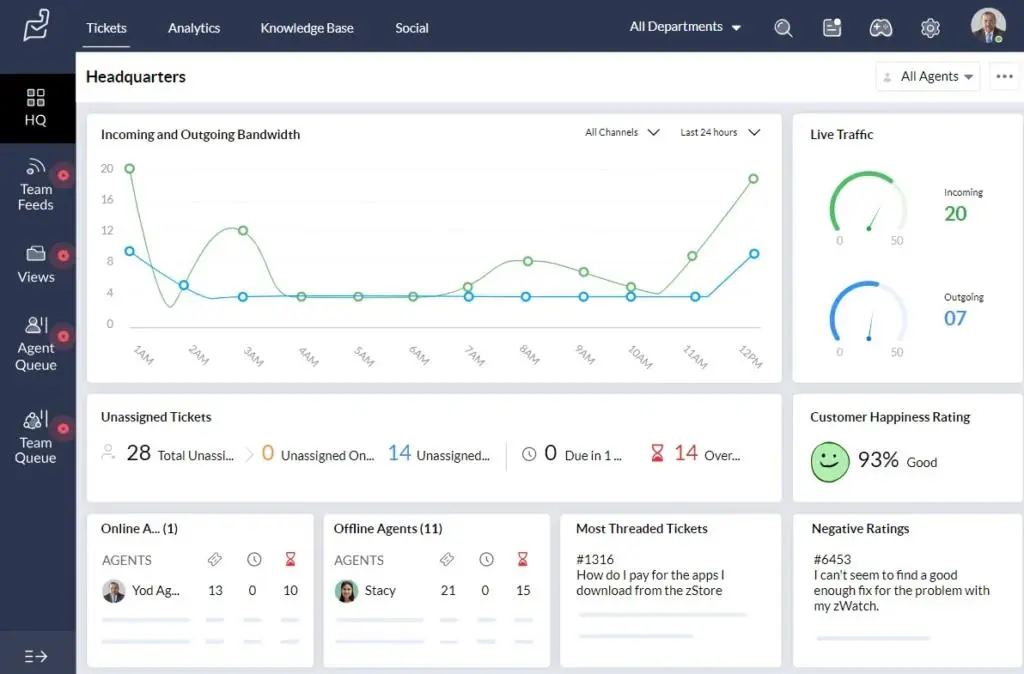
Zoho Desk is a helpdesk platform that operates as part of the broader Zoho business ecosystem. It provides ticketing, automation, SLAs, knowledge management, and AI-assisted insights through Zoho’s Zia assistant.
The platform is designed to connect customer support data with CRM, finance, and marketing systems, enabling end-to-end visibility across the customer lifecycle. Zoho Desk is particularly effective for organizations already using other Zoho products.
Things to watch out for
Advanced reporting and customization capabilities depend heavily on plan selection and ecosystem usage.
Best for: Growing teams that want easy self-service and strong routable workflows.
What is Freshdesk?
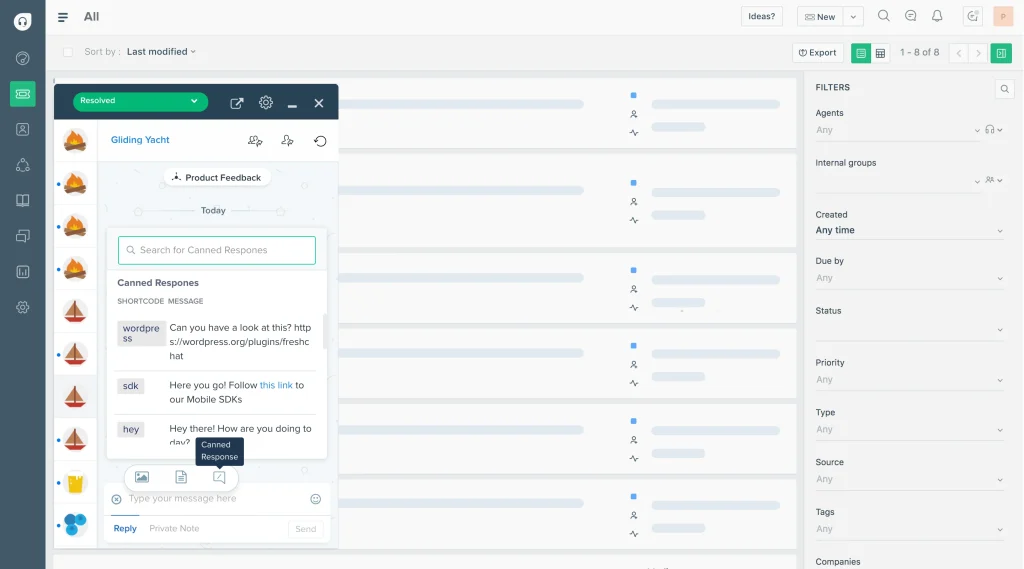
Freshdesk is a cloud-based helpdesk designed to support growing support teams with multi-channel ticketing, automation, and self-service tools. It offers structured workflows without requiring extensive ITSM expertise.
The platform includes AI-assisted features, multilingual knowledge bases, and broad third-party integrations, making it suitable for organizations transitioning from basic ticketing to more mature service operations.
Things to watch out for
Some reporting and analytics features are restricted to higher-tier plans. Teams with very diverse custom needs may find certain workflows restrictive.
Best for: Teams that primarily run support through Gmail but want structure and collaboration.
What is Hiver?
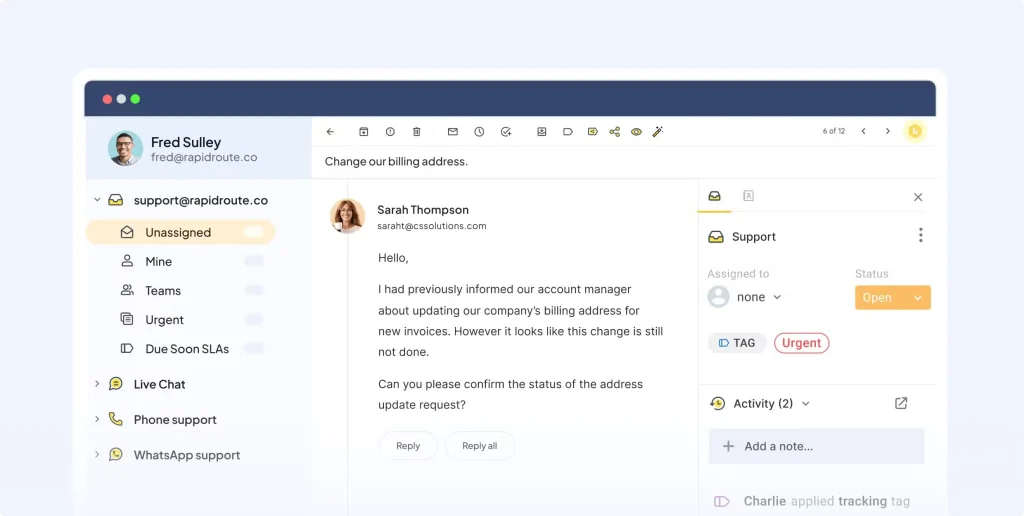
Hiver is an email-based helpdesk solution built directly on top of Gmail. It adds structure, ownership, and collaboration features to shared inboxes without requiring agents to leave their existing email environment.
The platform focuses on assignment workflows, internal collaboration, and lightweight automation, making it suitable for teams that want helpdesk functionality without adopting a new interface.
Things to watch out for
It lacks the depth and reporting capabilities of full-service desk platforms. Bigger ticket volumes and complex workflows might push you to a more traditional service desk.
Best for: Teams that want simple, human support without cluttered dashboards.
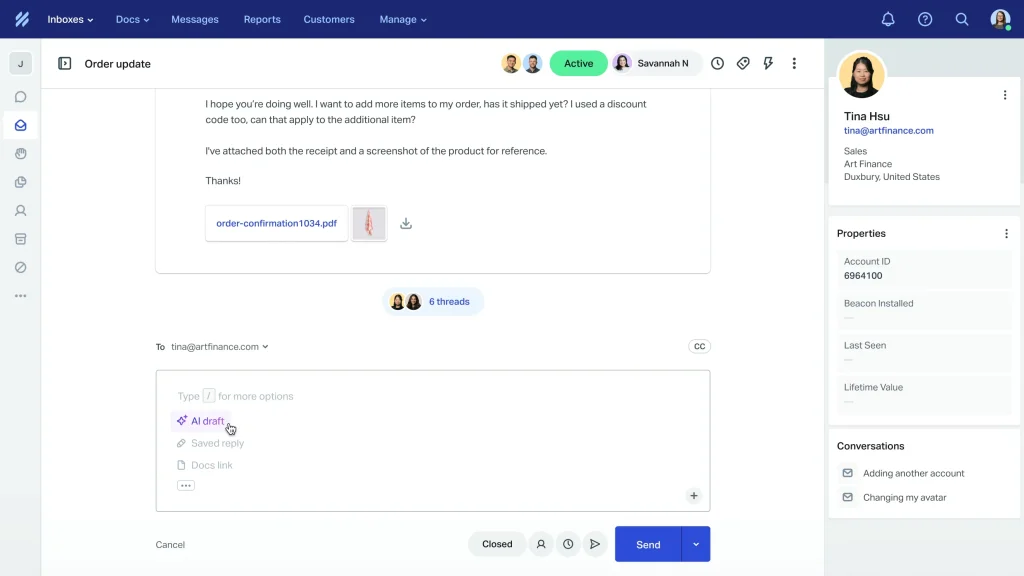
What is Help Scout?
Help Scout is a customer support platform designed to provide a clean, focused experience for agents and customers. It emphasizes shared inbox workflows, contextual customer history, and straightforward reporting.
The platform avoids heavy ITSM constructs in favor of clarity and usability, making it suitable for small to mid-sized support teams and internal help desks.
Things to watch out for
Support for voice and advanced omnichannel scenarios is limited compared to enterprise platforms.
Best for: IT teams and MSPs embedded in the Atlassian ecosystem who want deep workflow control.
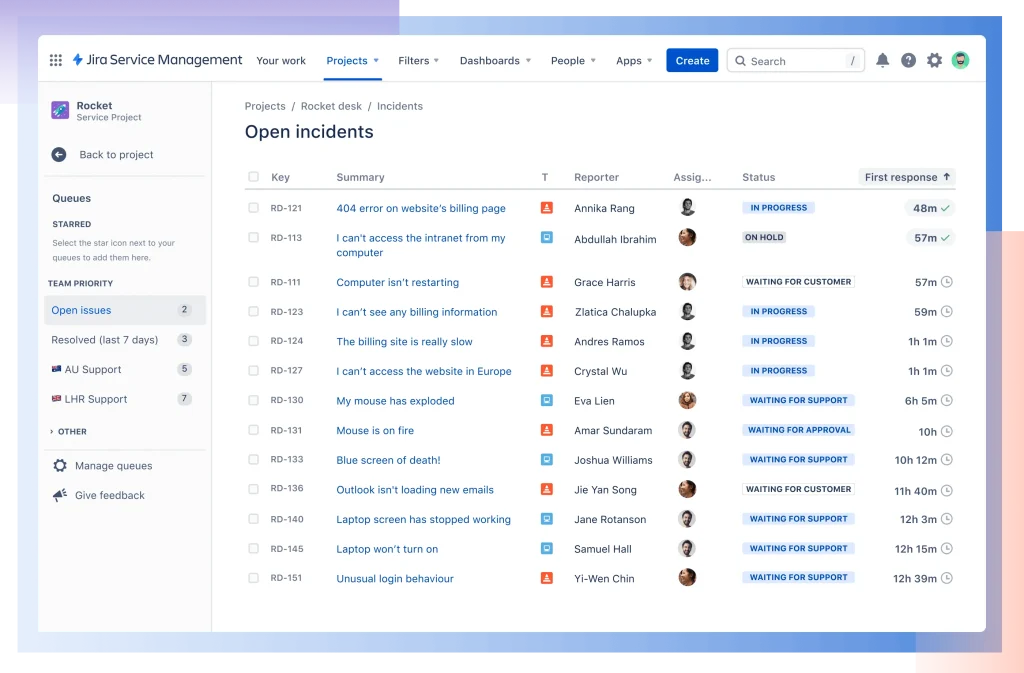
What is Jira Service Management?
Jira Service Management is an IT service desk platform built on Atlassian’s Jira infrastructure. It supports incident, problem, change, and request management with strong workflow customization.
The platform integrates natively with Jira Software and Confluence, enabling close collaboration between IT, development, and operations teams.
Things to watch out for
Initial setup and ongoing administration require technical expertise, especially at scale. Performance can lag with large data sets without optimization.
Best for: Small IT teams with no helpdesk budget.
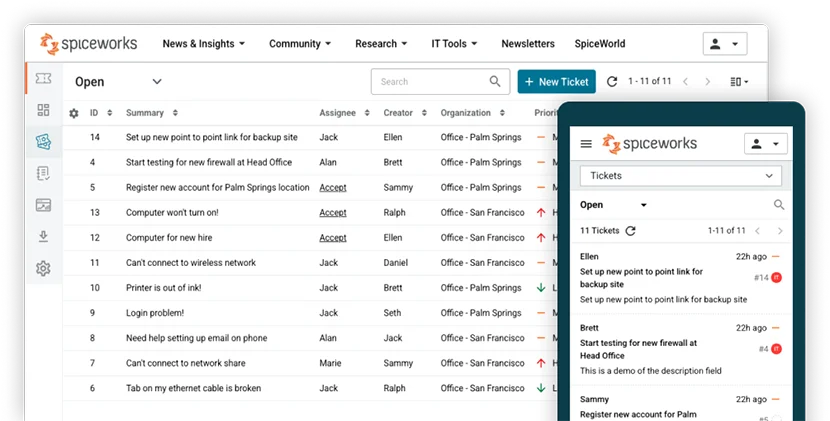
What is Spiceworks?
Spiceworks is a free IT helpdesk solution offering basic ticketing, asset tracking, and reporting. It is designed to provide essential service desk functionality without licensing costs.
The platform includes access to a large IT community, which can be useful for troubleshooting and peer advice.
Things to watch out for
Advanced automation, reporting, and customization capabilities are limited. Ads in the interface.
Best for: Teams that want a customizable ticketing system with strong automation and reporting.
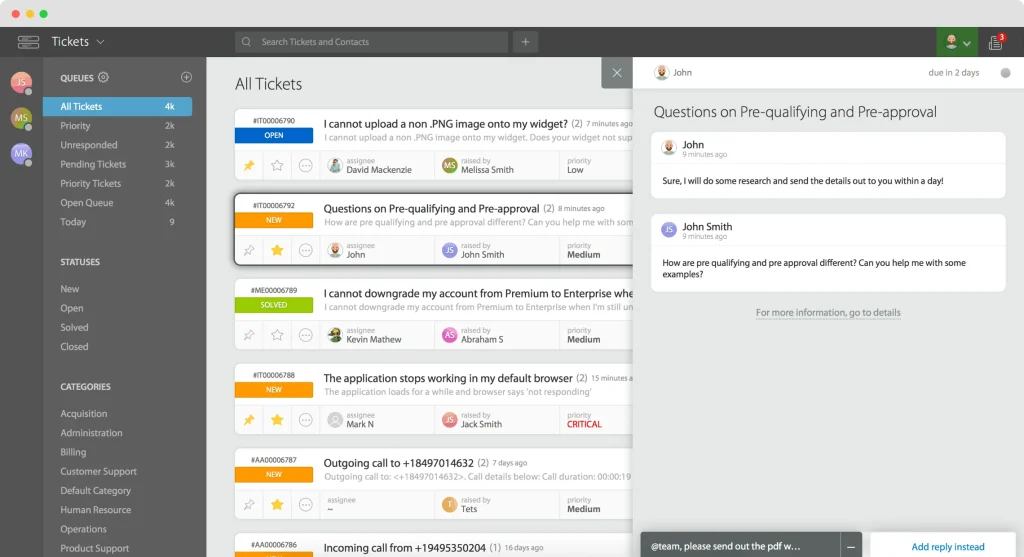
What is HappyFox?
HappyFox is a customizable helpdesk platform that supports multi-channel ticketing, automation, and performance reporting. It is designed to adapt to different operational models without extensive engineering effort.
The platform is used by organizations that need flexibility in ticket workflows and SLA tracking.
Things to watch out for
Customer support experience and analytics depth may vary by plan and region.
Best for: Teams that want a unified inbox with strong live chat, social, and VoIP capabilities.
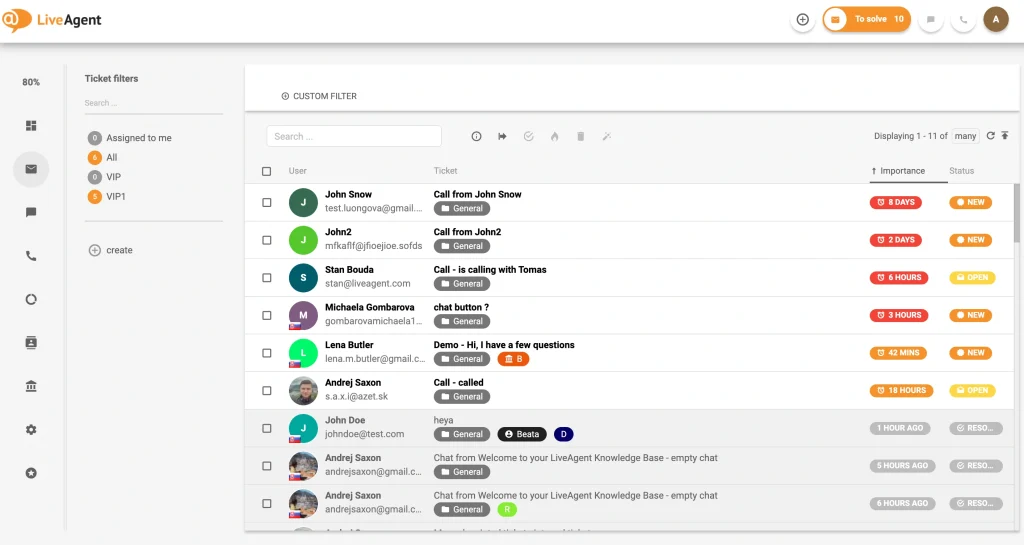
What is LivAgent?
LiveAgent is an omnichannel helpdesk platform that centralizes email, chat, social media, and VoIP support. It is designed for teams that operate in real-time customer engagement environments.
The platform includes automation, gamification, and analytics features to improve agent productivity and response times.
Things to watch out for
User interface changes and bulk operations can require adjustment over time.
Best for: Teams that want shared-inbox collaboration that feels like teamwork, not ticket bureaucracy.
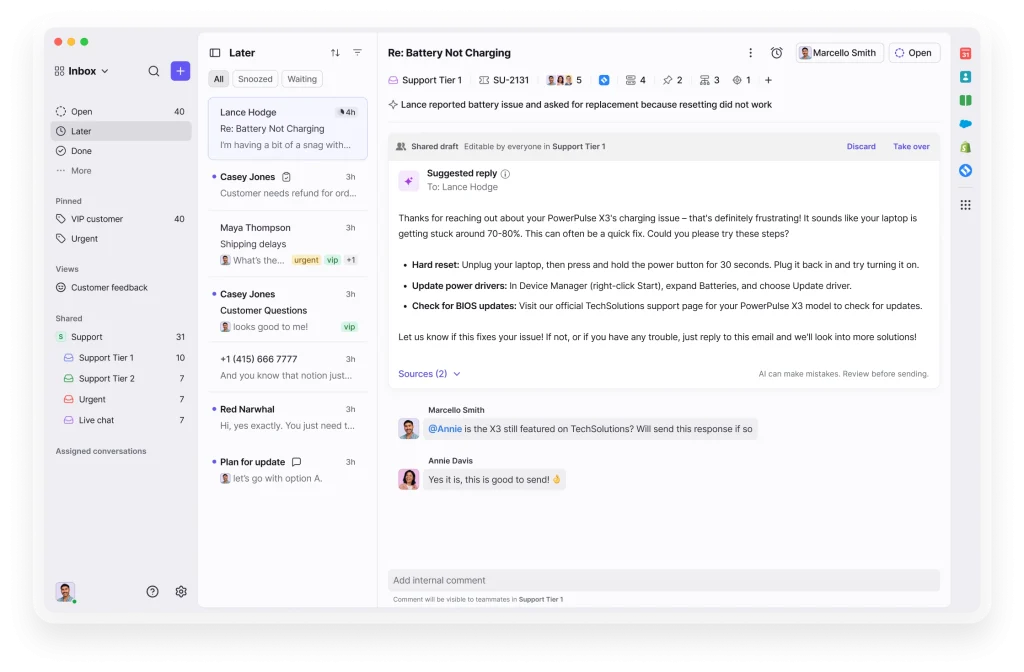
What is Front?
Front is a collaborative communication platform that combines shared inboxes with internal comments, drafts, and templates. It is designed to improve team coordination around customer conversations rather than traditional ticket queues.
The platform works well for teams that prioritize transparency and shared ownership.
Things to watch out for
It lacks strict ITSM constructs and offline support capabilities.
Best for: Large enterprises with formal ITIL processes and deep automation needs.
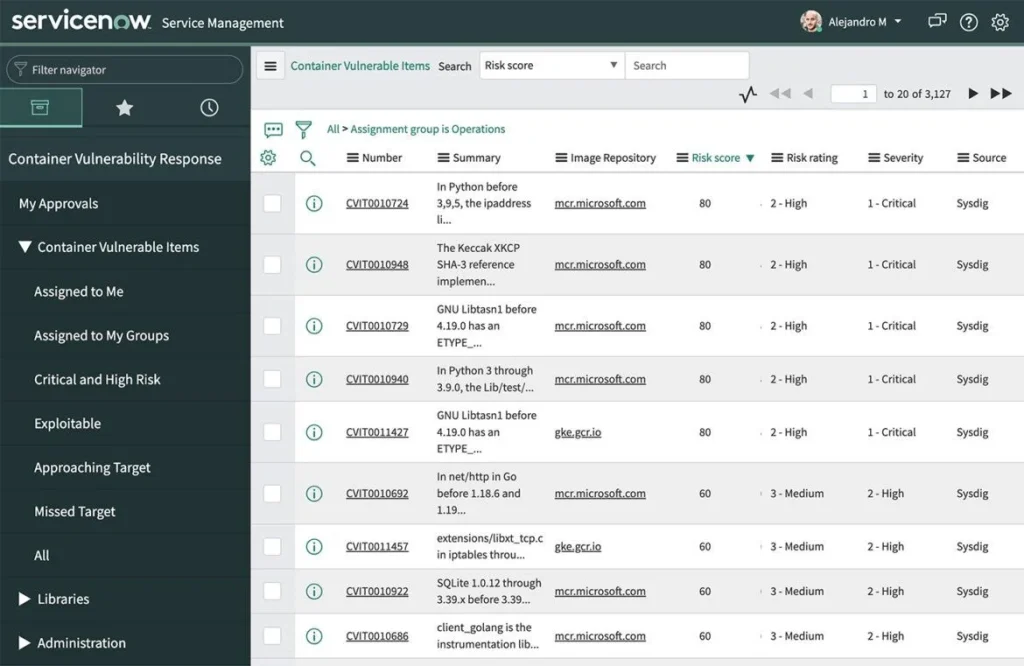
What is ServiceNow?
ServiceNow is an enterprise IT service management platform offering comprehensive support for incidents, problems, changes, assets, and service catalogs. It is built for scale, governance, and automation across large organizations.
The platform supports advanced analytics, AI-driven insights, and strict compliance requirements.
Things to watch out for
High implementation effort, cost, and administrative overhead.
Best for: Support teams that want a helpdesk connected to CRM and cross-department visibility.
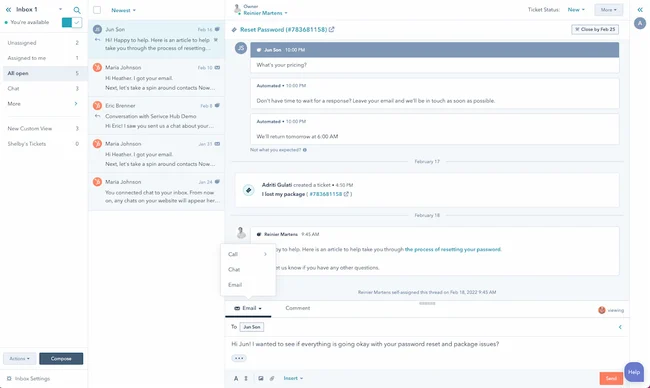
What is HubSpot Help Desk?
HubSpot Help Desk operates within HubSpot’s CRM platform, connecting customer support with sales, marketing, and success data. It provides ticketing, automation, surveys, and reporting in a unified customer record.
The platform is best suited for organizations already using HubSpot across departments.
Things to watch out for
The maximum value depends on the adoption of the broader HubSpot ecosystem.
Best for: Teams that want a chat-first helpdesk with a responsible conversational AI assistant.
What is Tidio?
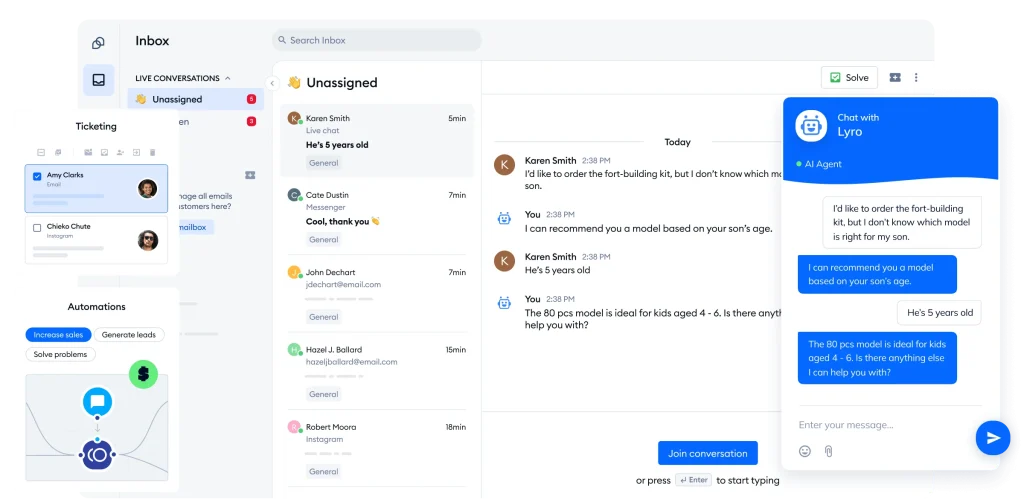
Tidio is a customer communication platform combining live chat, ticketing, and chatbot automation. It focuses on handling high-volume, repetitive inquiries through AI while routing complex cases to human agents.
The platform integrates easily with websites and e-commerce systems.
Things to watch out for
Advanced automation and AI features are often locked behind higher pricing tiers.
The best helpdesk for MSPs combines ticketing, SLA management, automation, billing alignment, and multichannel support in one platform, reducing tool sprawl and improving response speed.
MSPs should prioritize ticket automation, customer-specific SLAs, time tracking, reporting, multichannel intake (email, portal, Teams, chat), role-based access, and seamless billing integration.
Yes, many modern platforms like DeskDay support Microsoft Teams for ticket creation, updates, and communication, allowing users to raise and track requests without switching tools.
Pricing typically ranges from $12 to $60 per tech per month, depending on features, automation depth, reporting, and integration capabilities.
Unified conversations, automated workflows, AI-assisted replies, and reduced tab switching help techs resolve tickets faster with less cognitive load.
Yes, many platforms support both internal IT requests and external managed services through role-based access, data separation, and customer-specific workflows.
Most modern helpdesks support ticket imports, knowledge base migration, and guided onboarding, allowing teams to transition without major service disruption.

Get exclusive content on the MSP industry and become a part of the DeskDay community.