 Team DeskDay Team DeskDay
A decade ago, the helpdesk had a front door.
It was a portal link. Or a phone number taped to a monitor. Or an email alias everyone vaguely remembered. People knew where to go because there were only a few places where work could happen.
That world is gone.
Today, work doesn’t start in a browser tab or a ticketing portal. It starts where conversations happen. For a massive portion of the modern workforce, that place is Microsoft Teams.
When Teams becomes the daily town square, the old helpdesk model starts to feel strange. Asking users to leave their workspace, open a separate system, log in again, choose categories, and restate context is like asking someone to leave a busy market, walk across town, and fill out paperwork just to get a key copied.
They won’t do it. Not consistently. Not happily.
Instead, they DM someone they trust. They drop a message in a random channel. They wait until the issue turns into a fire. And just like that, support slips out of the system without anyone meaning for it to.
Modern IT teams aren’t fighting this behavior anymore. They’re rebuilding around it.
Not by bolting chat onto old tools, but by redesigning the helpdesk around the flow of work itself. And in most organizations, that flow runs straight through Microsoft Teams.
Teams didn’t just win adoption. It won gravity.
By early 2026, Microsoft Teams crossed 320 million monthly active users and became the daily collaboration layer for 95 percent of Fortune 500 companies.
That number matters for a simple reason: adoption is no longer the problem.
Users don’t need to be convinced to open Teams. They already live there. It’s the first app they open in the morning and the last one they close at night.
For internal IT teams, this flips the helpdesk equation entirely.
Instead of pulling users out of their workspace, support can meet them exactly where work already happens. Context is already present. Identity is already known. Devices, departments, and directories are already connected.
When support moves into Teams, the impact is immediate and measurable.
Organizations delivering IT support directly inside Teams are seeing:
This isn’t a trend cycle or a UI preference. It’s gravity doing what gravity always does.
Legacy IT helpdesk friction exposed
In most organizations, 40 to 50 percent of user issues never enter the system cleanly.
They arrive sideways.
Through personal emails.
Through Teams DMs.
Through hallway conversations.
Through WhatsApp messages.
Through “quick questions” that quietly become outages.
Shadow IT support doesn’t happen because users are careless. It happens because the official intake path feels heavier than the problem itself.
For IT teams, the downstream cost is brutal.
Meanwhile, context remains fragmented. RMM alerts sit in NinjaOne or Datto. Identity events live in Entra ID. Email trails stay buried in Outlook. Techs repeat triage work, burning 15 to 20 percent of their capacity on effort that should never have existed.
Customer satisfaction reflects it. CSAT routinely dips 70 percent. And by 2026 benchmarks, this friction quietly costs enterprises between $250,000 and $500,000 per year for every 50-person IT team, before factoring in compliance risk from undocumented work under ITIL 4 or NIST frameworks.
The problem isn’t effort. It’s where the system begins.
Teams as the IT helpdesk front door, not just another channel
Microsoft Teams now processes more than 300 billion meetings and over a trillion messages every month. It has replaced email as the place where work is spoken aloud.
By Q1 2026, 68 percent of mid-market IT teams had already made Teams their primary intake channel, a 26 percent year-over-year increase.
The technical foundation makes this possible.
What users experience is a conversation. What IT gets underneath is a structured, auditable helpdesk.
That distinction is everything.
Why adoption sticks this time
Teams-based helpdesks work for a simple, unglamorous reason: they ask users to change less.
This isn’t a retraining program. It’s a habit shift.
The teams that succeed do a few old-school things exceptionally well.
What they’re really removing is friction that never should have existed:
Friction in asking for help
Friction in capturing context
Friction between conversation and process
When IT meets users where they already live, support stops feeling like a system and starts feeling like what it always should have been: help, at the moment it’s needed, without ceremony.
How DeskDay IT-Connect turns Microsoft Teams into a real helpdesk
DeskDay Service Desk’s built-in end-user app, IT-Connect for Microsoft Teams, starts from a clear assumption: Teams is the front door.
Instead of bolting Teams onto a traditional service desk, IT-Connect reverses the flow. Support begins inside Teams and stays structured underneath.
End users raise issues directly inside Teams using the IT-Connect app. No portals. No redirects. No extra logins.
Guided forms inside Teams capture what IT actually needs:
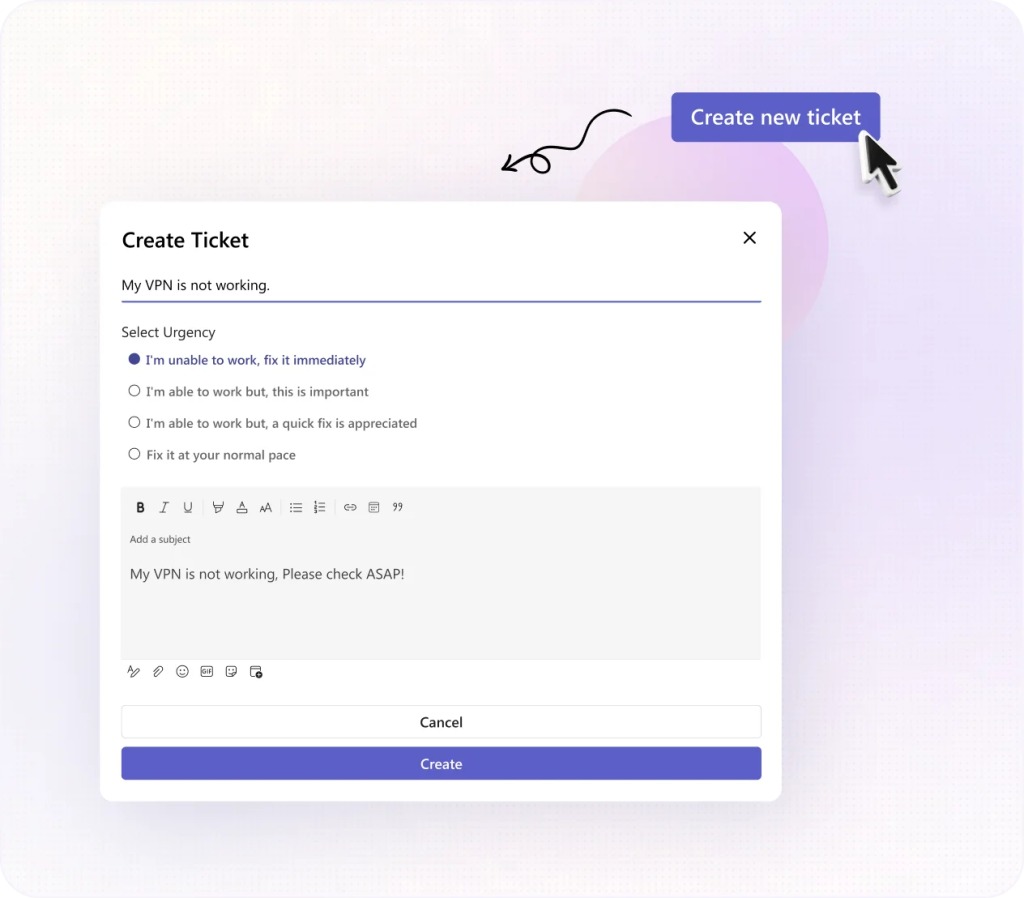
Ticket templates streamline common requests like access changes, onboarding, hardware issues, and approvals, so users don’t have to guess how to ask for help properly.
Multitasking for IT, without losing context
On the IT side, techs work from DeskDay’s unified service desk while conversations continue in Teams for users.
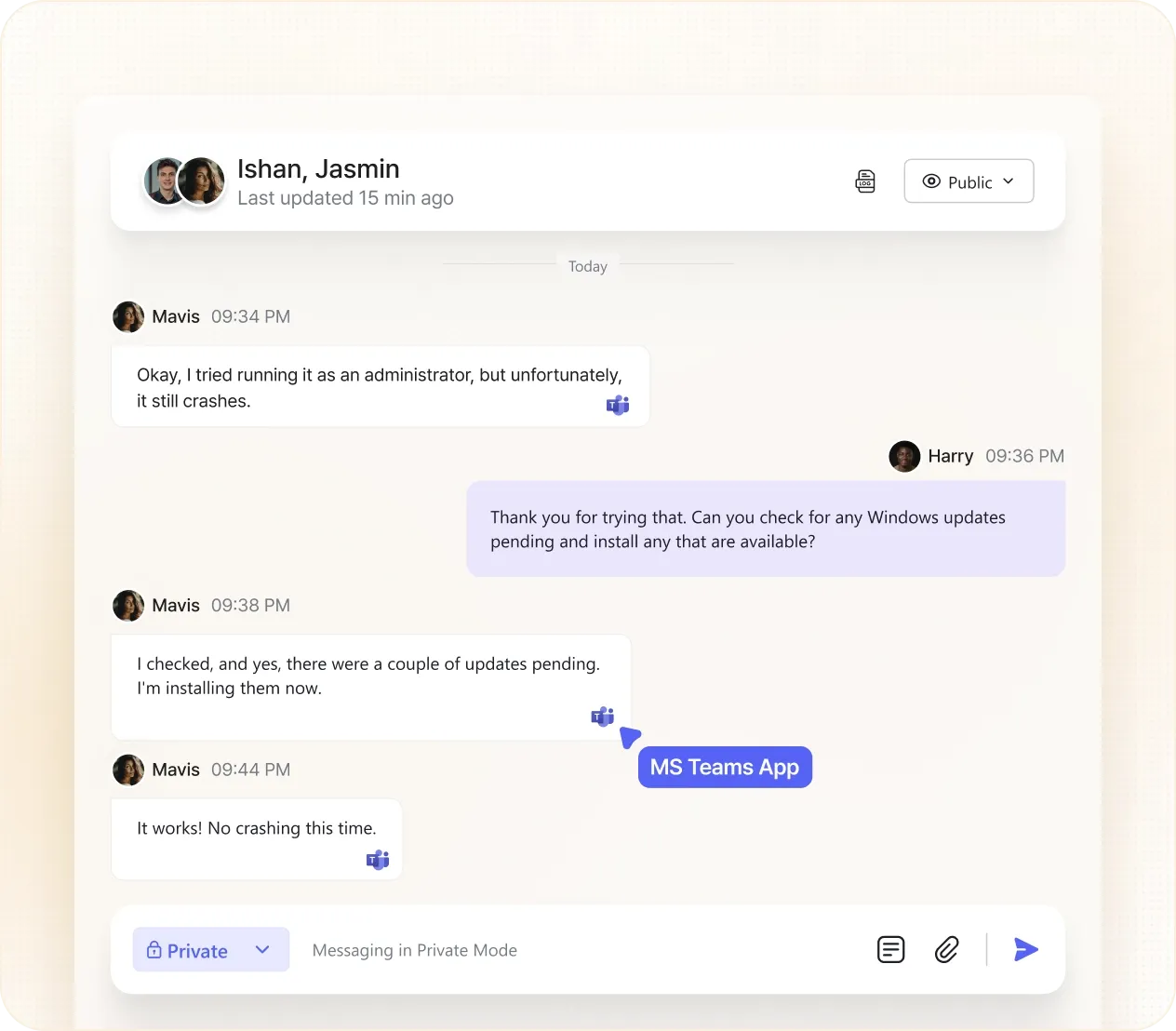
Techs can:
AI assistance where it actually helps
With Helena, AI agent built into DeskDay, IT-Connect adds intelligence at the moment it matters:
Governance stays intact
Every Teams interaction from a user:
Real-time conversations, real resolutions
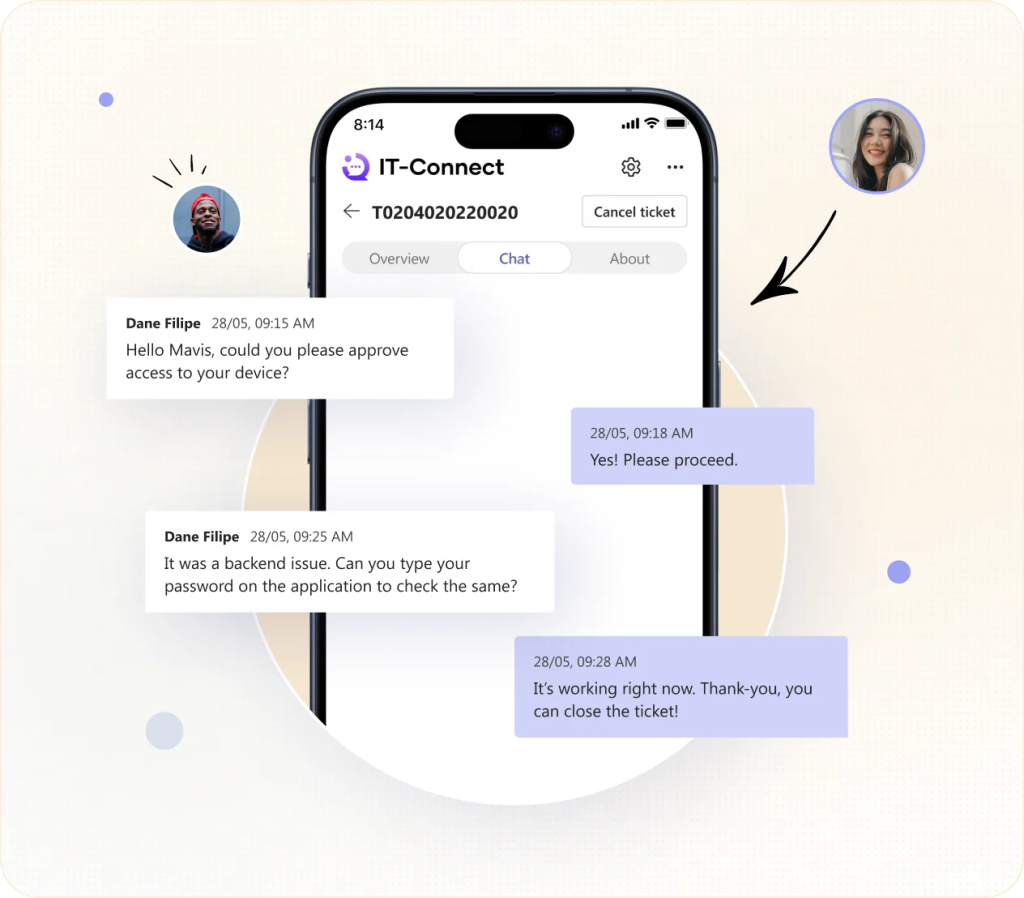
Users can chat directly with techs inside Teams, resolving issues in real time instead of bouncing updates across tools. This cuts wait times dramatically while preserving a full audit trail; every message, update, and resolution logged cleanly in both the Teams app and the service desk.
Support that travels with your users (mobile-ready by default)
DeskDay IT-Connect works seamlessly with the Microsoft Teams mobile app, so users can raise, track, and respond to tickets from anywhere: desk, meeting room, commute, or site visit.
For end users, that means:
For IT teams, it means:
That matters more than it sounds. Many intake delays and missing details happen because users wait until they’re back at a desk. Mobile-ready support removes that delay entirely.
Announcements that reach users before problems spread
Outages and maintenance don’t fail because IT didn’t communicate. They fail because users never saw the message.
IT-Connect lets IT teams push announcements directly inside Teams, where users already pay attention, reducing noise, confusion, and duplicate tickets before they start.
Bottomline
Teams is the experience layer for users. DeskDay is the system of record. That separation is what keeps things fast and accountable.
By designing the helpdesk around Teams without sacrificing structure, DeskDay lets IT teams meet users where they work, without inheriting the chaos that usually comes with chat-first support.
And that’s the real goal of rebuilding the helpdesk around Teams:
less friction, less noise, faster resolution, and fewer fires that never should’ve started.

Get exclusive content on the MSP industry and become a part of the DeskDay community.