DeskDay AI is coming soon. Get early access to the next generation of MSP intelligence. Join Waitlist

 Team DeskDay Team DeskDay
Every PSA vendor is talking about AI. Every conference slide deck has the word ‘intelligent’ or ‘AI-Powered’ in it. And every MSP founder we speak to has the same question underneath all the noise:
“Will it actually save my team time, or is this just another dashboard feature I’ll never use?”
The answer depends entirely on what you mean by ‘AI ticket triage.’ Because right now, there’s a wide spectrum between what’s being marketed and what’s actually working in production. This blog is our attempt to cut through the noise, explain what AI ticket triage really means for an MSP, what’s genuinely possible today, what’s overhyped, and what’s coming next.
When we do product demos, we talk to MSPs of every size. But one pattern keeps emerging: the teams feeling the most pain aren’t the biggest ones, they’re the lean ones.
We spoke with one MSP managing over 70 clients with just 8 techs. Another had 15-20 staff handling managed clients, hourly clients, and web development projects simultaneously. These teams aren’t looking for a better ticket form. They’re looking for leverage.
Here’s the math that’s driving the urgency:
| The Dispatcher Reality Time spent per ticket (triage + dispatch): 3 to 15 minutes Tickets per day for a mid-size MSP: 30 to 80+ Automating 20–30% of that work = $30,000 – $50,000 in annual savings |
That’s not a marginal efficiency gain. For a 5-10 person MSP, that number is transformative. It’s the difference between hiring your next technician this year or waiting another 12 months.
But the cost savings are only half the story. The other half is capacity. When your dispatcher isn’t manually triaging password resets and printer questions, they can focus on the complex tickets that actually require human judgment. AI ticket triage isn’t about replacing your team; it’s about redirecting them.
The term gets used loosely. Let’s be precise. When we talk about AI ticket triage in an MSP context, we’re referring to a system that performs three distinct jobs automatically; jobs that a human dispatcher currently does manually.
Most tickets that land in your queue are incomplete. A customer sends ‘My email isn’t working’ with no device information, no error message, and no indication of how many users are affected. A dispatcher’s first job is to fix that.
AI intake means the system automatically:
The output is a ticket that looks like a senior dispatcher wrote it, filled in, clearly summarized, and ready for a tech to action.
Once the information is collected, the AI categorizes the ticket and assigns a priority. This is more nuanced than it sounds. A good automated ticket triage system doesn’t just look at keywords. It weighs multiple signals simultaneously:
The result: every ticket gets a category, subcategory, priority level, searchable tags, and links to relevant knowledge base articles or checklists, automatically.
The final step is assignment. The AI looks at which board the ticket belongs on, which tech has the right skills and current capacity, and whether SLA timers require escalation. It then assigns the ticket and changes the status, without a human touching it.
Here’s where we’ll be direct with you, even at the cost of tempering excitement.
What works well right now:
What’s still maturing:
What’s overhyped:
Anything marketed as ‘fully autonomous’ right now. AI ticket triage at its best today is a highly capable assistant, not a replacement for all human judgment. The best implementations keep a human in the loop for edge cases and low-confidence situations.
“The goal isn’t to remove humans from ticketing. It’s to make sure the humans in your MSP only touch the tickets that actually need them.”
We’ve been designing our AI ticketing triage agent from the ground up with one core principle: it should replace the entire dispatcher workflow, not just assist with a slice of it. Here’s exactly what we’re building across three phases.
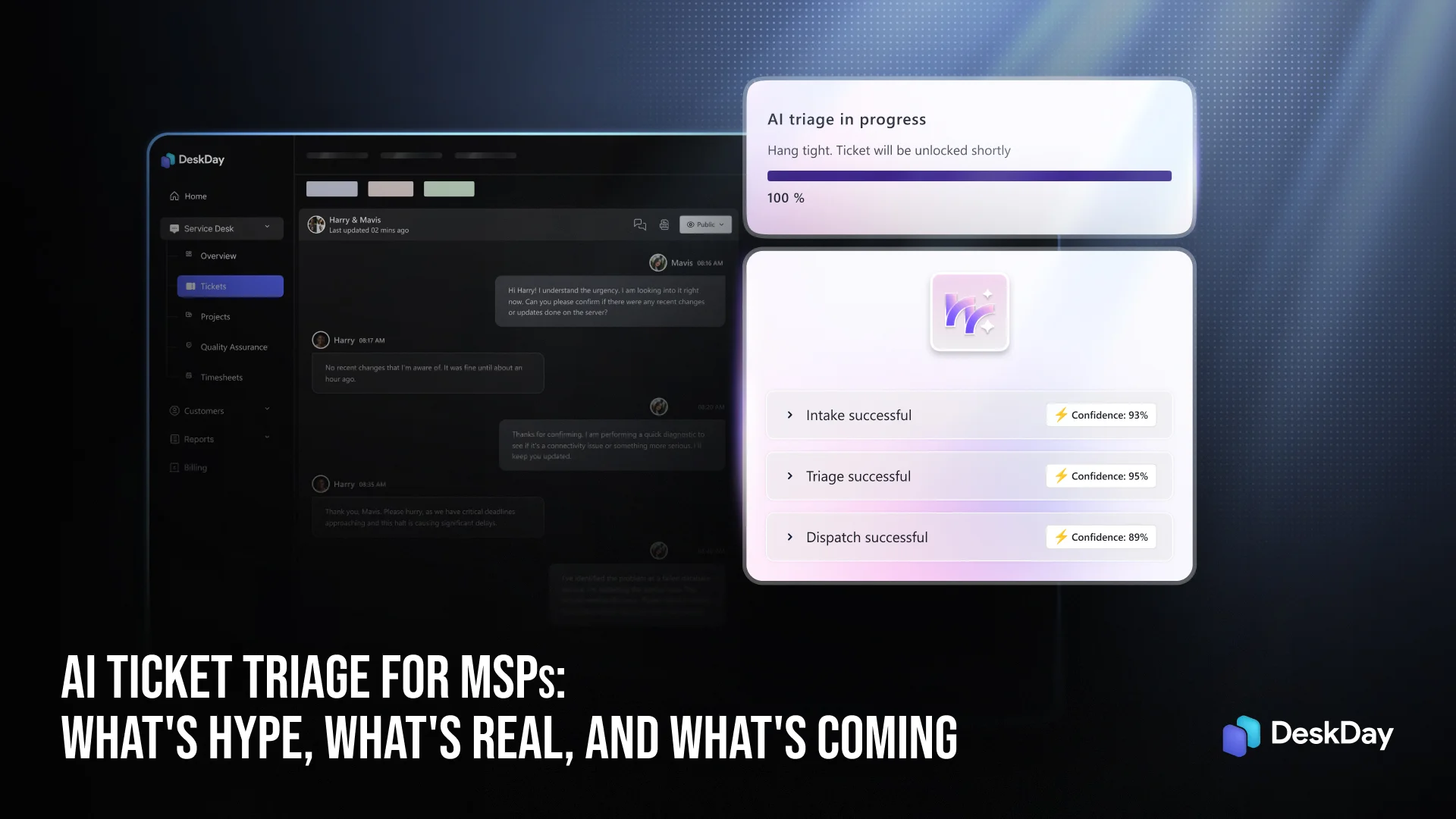
When a new ticket lands in your queue, via email, Teams, mobile app, the desktop app, or the web portal, our AI agent picks it up immediately. The ticket is locked with an ‘AI Triage In Progress’ status, so no tech accidentally touches it at the same time.
The agent then works through a structured intake flow:
Edge cases are handled thoughtfully: automated system emails are skipped, unknown users trigger a configurable fallback, and repeated tickets from the same customer are merged rather than duplicated.
Once intake is complete, the triage engine runs a scoring algorithm across seven signals to assign priority, such as service criticality, urgency, impact, user type, multiplicity, and more.
The system also adds categories, subcategories, searchable tags, and links to relevant knowledge base articles and checklists from your DeskDay library.
If the AI’s confidence in a classification falls below a configurable threshold, it won’t act silently; it will flag it for human review or surface its top three suggestions, so a tech can confirm with one click.
After triage, the dispatch engine routes the ticket to the right board and tech based on:
When dispatch completes, the ticket status updates to ‘Assigned’ and a timeline note is logged. Techs can see exactly what the AI did and why.
At every stage, your team stays in control. If a tech opens a ticket that’s in the middle of AI ticket triage, they see a modal: ‘AI triage is in progress. Would you like to take control now? This will stop AI actions immediately.’
MSPs who want more oversight can enable a ‘Human Review’ mode, where the AI surfaces all of its recommendations in a single panel: category, priority, routing suggestion, and a dispatcher approves or edits with one click rather than doing the work manually.
For MSPs who aren’t ready for full automation, there’s also a ‘Suggestions Only’ mode where the AI makes no changes to ticket fields; it simply displays its recommendations as a sidebar widget that techs can accept or ignore.
Here’s how an 8-tech MSP managing 70+ clients would benefit from this system at maturity:
That’s 3–15 minutes of dispatcher time saved. On one ticket. Now multiply that by 40 tickets a day.
As you evaluate AI ticket triage features from any vendor, here are the questions worth asking:
Red flags: vendors who claim ‘full automation’ without mentioning confidence thresholds, or who can’t show you what happens when the AI gets something wrong.
AI ticket triage for MSPs is real, it works, and it’s getting better fast. But right now, the gap between what’s marketed and what’s production-ready is still significant. The MSPs who will benefit most in 2026 are those who start with AI as a powerful helpdesk assistant, augmenting their dispatcher, not replacing them overnight, and build confidence in the system over time.
For lean teams managing large client bases, even 20–30% automation of dispatcher tasks is a meaningful operational shift. At full maturity, AI triage can handle the majority of routine intake, triage, and routing entirely autonomously, freeing your human team to focus on the complex, relationship-driven work that actually requires them.
“The best AI ticket triage system isn’t the most autonomous one. It’s the one your team trusts enough to actually use.”
Interested in DeskDay’s AI Ticket Triage and Dispatch Agent?
We’re currently accepting beta participants for our AI ticket triage agent. If your MSP wants to be among the first to test intake, triage, and dispatch automation, book a demo with us and let us know you’re interested in the beta program.
AI ticket triage helps MSPs reduce response times, eliminate repetitive tasks, improve ticket accuracy, and scale support operations without increasing headcount.
Rule-based systems rely on fixed conditions, while AI ticket triage learns from patterns and adapts to new scenarios. This makes AI more flexible and effective in handling diverse ticket types.
MSPs should look for features like automated categorization, smart routing, priority detection, knowledge base suggestions, past ticket matching, and workflow automation.
By reducing response times and ensuring tickets are handled by the right technician quickly, AI ticket triage improves resolution speed and overall customer satisfaction.
AI ticket triage is evolving toward full lifecycle automation, where AI not only routes tickets but also suggests solutions, automates responses, and continuously learns from support interactions.

Get exclusive content on the MSP industry and become a part of the DeskDay community.