
Pax8 integration is now in Private Beta! Request early access


 Team DeskDay Team DeskDay
August was another strong month for DeskDay. This release brings a new Home Screen, Stripe integration in beta, fully customizable Service Categories with severity, Role Profiles, User Badging, and QuickBooks category mapping. It also includes updates that make everyday workflows more intuitive and efficient.
Here’s what’s new and improved.
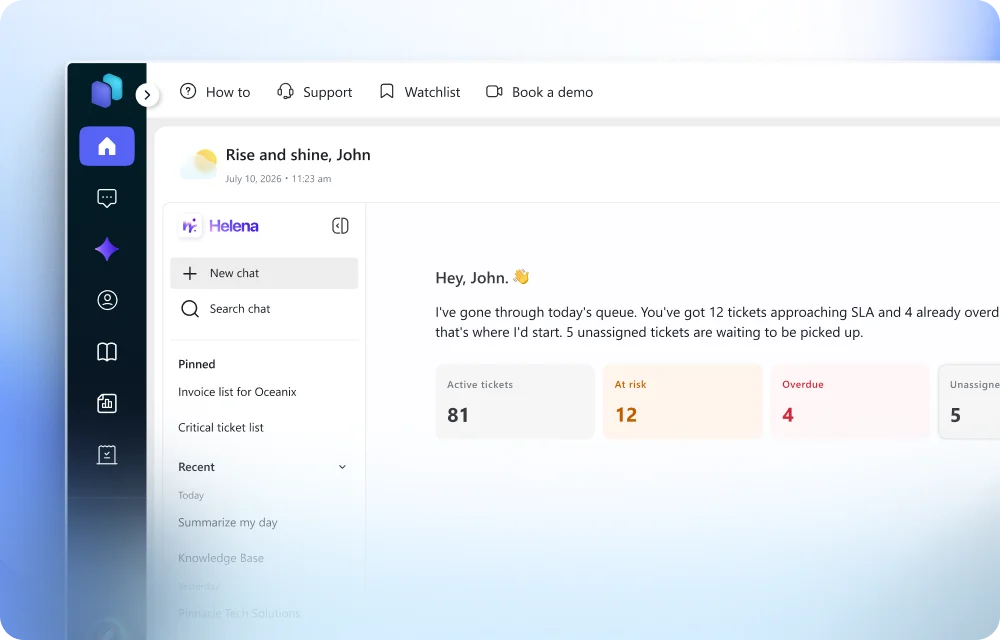
A fresh start to every day in DeskDay.
The DeskDay Home Screen has been redesigned with a refreshed look and a clearer layout. It’s now easier to navigate the platform and get to the information you need, with fewer clicks between you and your work.
Bring payments closer to your billing.
Connect DeskDay with Stripe to support payment and billing workflows directly within the platform. With billing and payments in one place, your team spends less time switching between tools. The integration is in beta, and your feedback will help shape what comes next.
Organize services the way you actually deliver them.
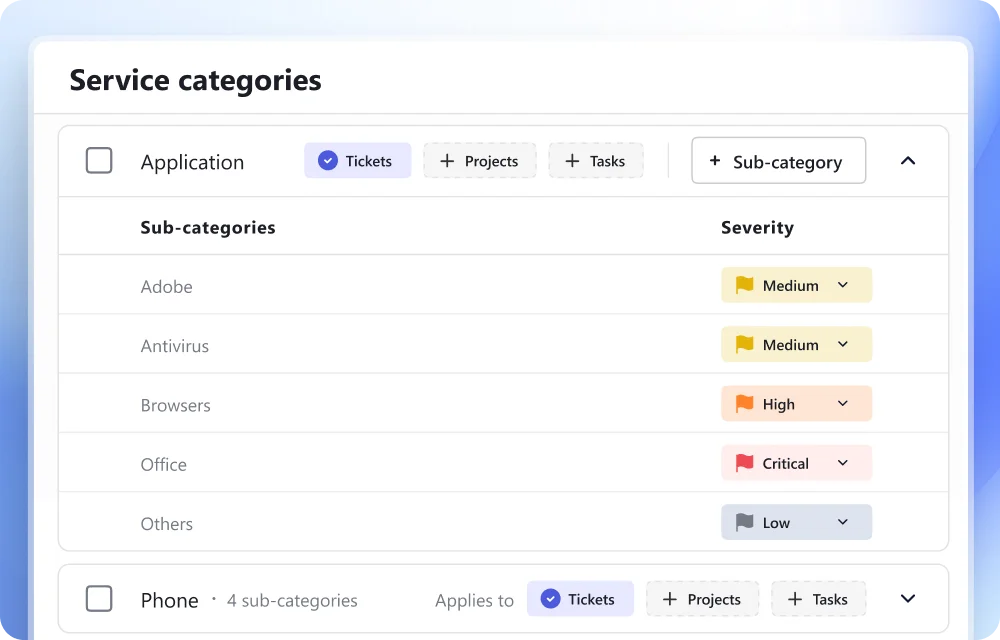
Service Categories now have an enhanced, fully customizable experience. Set up categories that match your service catalog. Use the new severity support to separate routine requests from the ones that need attention right away.
A structured way to manage who can handle what.
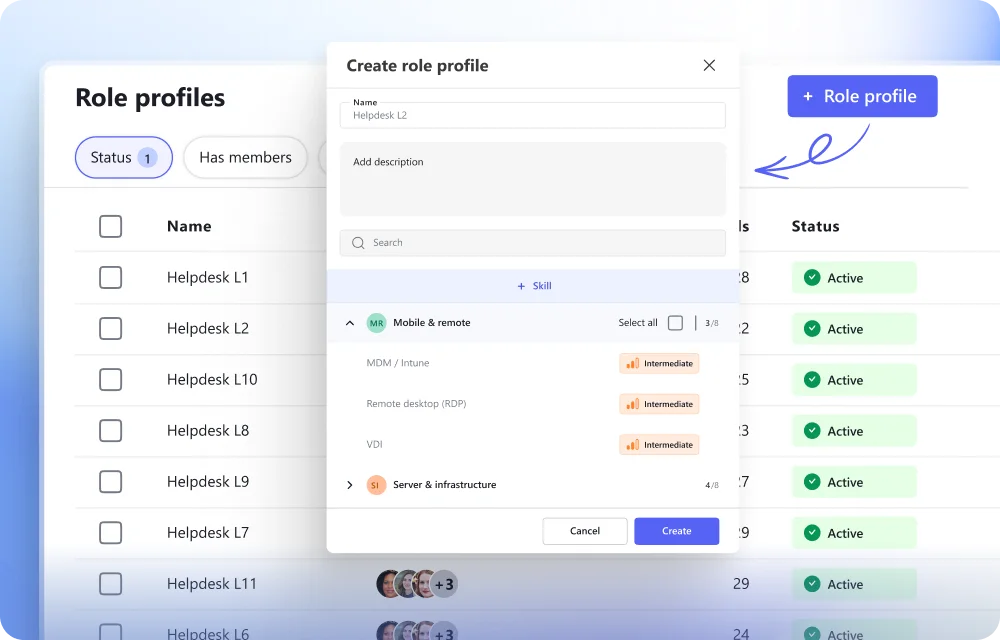
Role Profiles build on the Skills introduced in July. Group team member skills into profiles to organize capabilities across your team in one structured place. Profiles make it clearer who is equipped for which work, and they give DeskDay AI a better picture of your team.
Prioritize the right requesters at a glance.
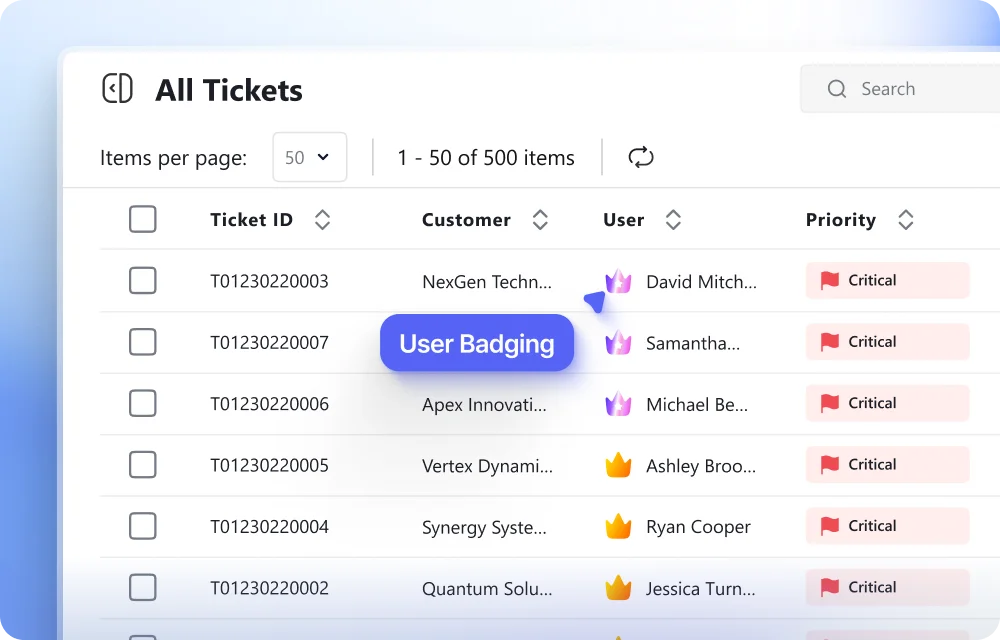
User Badging introduces four user levels, so your team can quickly identify and prioritize tickets from key users. The user creation experience has also been updated to support badging. You can assign a level as soon as you add a new user.
More control over how billing data reaches your accounting system.
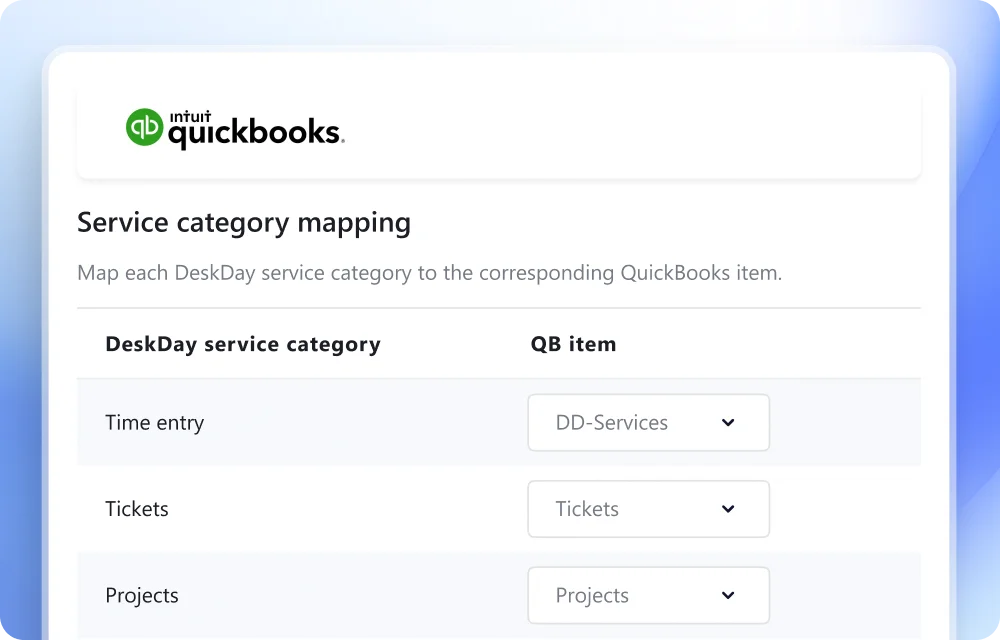
You can now customize how DeskDay categories map to QuickBooks categories. Billing data is organized in QuickBooks exactly the way your accounting team expects, with no cleanup after every sync.

Get exclusive content on the MSP industry and become a part of the DeskDay community.


