DeskDay AI is coming soon. Get early access to the next generation of MSP intelligence. Join Waitlist

 Team DeskDay Team DeskDay
A practical look at when MSPs should move their core service platform, and when they should wait
Right now, many MSP owners are asking the same question: Our PSA feels old. AI is changing everything. Should we switch platforms now?
It’s a fair question. Vendors ship AI features every month. Demos look impressive. And if your current tools feel clunky, a new platform looks like a clean start.
But replatforming is one of the most disruptive projects an MSP can take on. Doing it in the middle of a technology shift, when the ground is still moving, carries risks that don’t show up in a demo. This post walks through those risks, how to judge them, and what a safer path can look like.
For most MSPs, the PSA is not just one tool. It is the system of record that connects almost everything:
Replacing it means moving all of that, retraining every technician, rebuilding workflows and automations, reconnecting integrations, and making sure clients don’t notice a drop in service while it happens.
That is a big project in a stable market. In a market that is changing as fast as this one, it gets harder.
AI capabilities in service management are changing quarter by quarter. What counts as “AI-powered” today (a summarize button, a suggested reply) may look basic in a year, when agents can triage, route, and resolve routine work on their own.
A replatforming project usually takes months to evaluate, plan, and roll out. By the time you go live, the features that drove the decision may no longer be what sets a platform apart.
The question to ask: Are you choosing a platform for the AI features it has today, or for how its design lets AI keep improving over time?
A platform with AI added on top of an old ticket-and-form model can only go so far. A platform where AI is built into how work moves through the system has much more room to grow.
AI in a service desk is only as good as the data behind it. Ticket history, resolution notes, internal KB articles, and documentation are what let an AI system suggest useful answers and spot recurring problems.
Migrations are hard on that data:
Any of these weakens the AI you’re moving to get. The irony is real: a switch made “for AI” can leave you with less useful AI for the first year, because the history it learns from is thinner or messier than before.
The question to ask: After migration, will the new platform have more usable history and knowledge than you have now, or less?
Every replatforming has a dip. Technicians slow down while they learn new screens. Automations that used to run quietly need to be rebuilt and tested. Billing runs need extra checks. Some things will break.
At the same time, clients are asking their MSPs about AI: Copilot rollouts, data readiness, security policies, new tools. This is a period where MSPs need to be responsive and seen as a steady hand.
A rough migration during this window can hurt:
The question to ask: Can your team absorb 3–6 months of reduced efficiency right now, while clients expect more from you?
Most MSPs run a stack: RMM, documentation, accounting, security tools, communication tools. Each one is connected to the PSA in some way, and many of those connections were built up over years.
When the PSA changes, each connection has to be checked, rebuilt, or replaced. And because AI tools are also entering the stack fast, you may end up rebuilding integrations twice: once for the migration and again as your AI tooling changes.
The question to ask: Does the new platform have open integration paths (APIs, and increasingly standards like MCP that let AI agents connect to tools) so your stack can change without another rebuild?
When you move to a new platform mainly for its AI, you’re betting on that vendor’s AI roadmap. That roadmap may depend on:
These are hard to judge from a sales cycle, and the answers can change after you sign.
The question to ask: What happens to your operations if the vendor’s AI direction changes in a year?
Sometimes the frustration that drives a replatform is not really about the platform. It’s about:
Moving to a new tool without fixing these just moves the problems. And adding AI on top of messy processes tends to automate the mess.
The question to ask: If you fixed your intake, knowledge, and workflows on your current platform, how much of the pain would remain?
None of this means MSPs should never switch. Staying on a platform that is holding you back has its own cost. Replatforming during the AI shift can be the right call when:
If you are considering a move, these questions help separate a sound decision from a reactive one:
| Area | What to check |
|---|---|
| AI architecture | Is AI part of how tickets are created, routed, and resolved, or a separate panel? |
| Data and knowledge | Can the platform use your full history, internal KB, and documentation tools for AI suggestions? |
| Tenant isolation | How is your data and your clients’ data kept separate in AI features? |
| Migration path | What gets migrated, how far back, and in what structure? |
| Integrations | Are RMM, accounting, and documentation integrations native? Is there an open API or MCP support? |
| Operational coverage | Are billing, project management, and client communication handled in the same platform, or do they need extra tools? |
| Rollout model | Can you phase adoption rather than switch everything at once? |
| Roadmap fit | Is the vendor’s AI direction built for MSPs specifically? |
Step back, and there’s a bigger change going on. Traditional PSAs were built around forms, queues, and manual handoffs. A client emails, a tech logs a ticket, a dispatcher assigns it, and someone searches for the answer.
The direction the industry is heading is more conversational and more automated. Clients raise issues in chat, in Teams, or through a desktop app. AI classifies and routes the request. Techs get suggested fixes from past tickets and internal knowledge. Routine work moves without someone having to push it.
Some in the industry call this a move from PSA (Professional Services Automation) to CSA (Conversational Service Automation). Whatever the label, the point for a replatforming decision is this: if you’re going to move, move to a platform built for where service delivery is going, not one that adds AI to where it has been.
DeskDay is a PSA built for MSPs and IT teams, designed around the conversational, AI-assisted model described above. For MSPs weighing a move, here’s how it maps to the risks in this post:
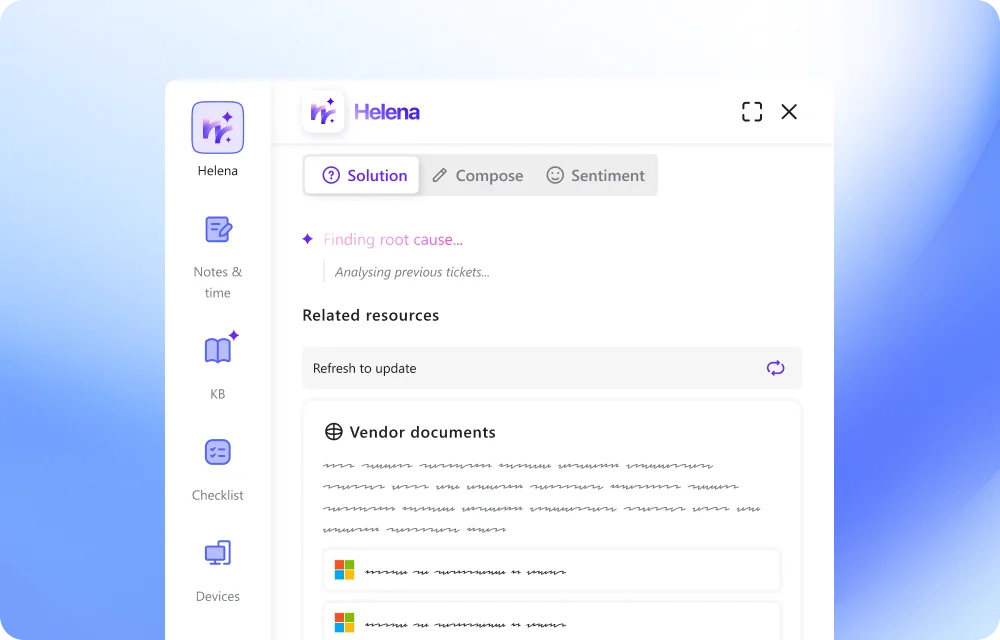
Helena, DeskDay’s AI copilot, draws on your ticket history and internal knowledge base to suggest resolutions, support root cause analysis, and surface relevant checklists. It can also connect to documentation tools such as Hudu, so knowledge isn’t split across systems.
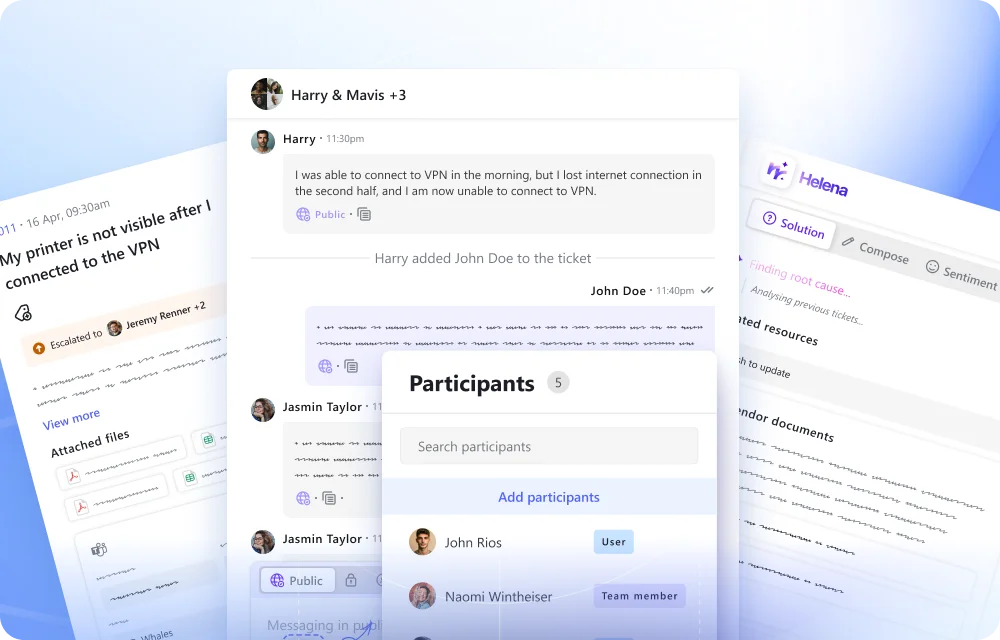
Through IT-Connect, clients can reach your team via web, mobile, desktop, and Microsoft Teams, with email alongside. Conversations and tickets stay in one place.
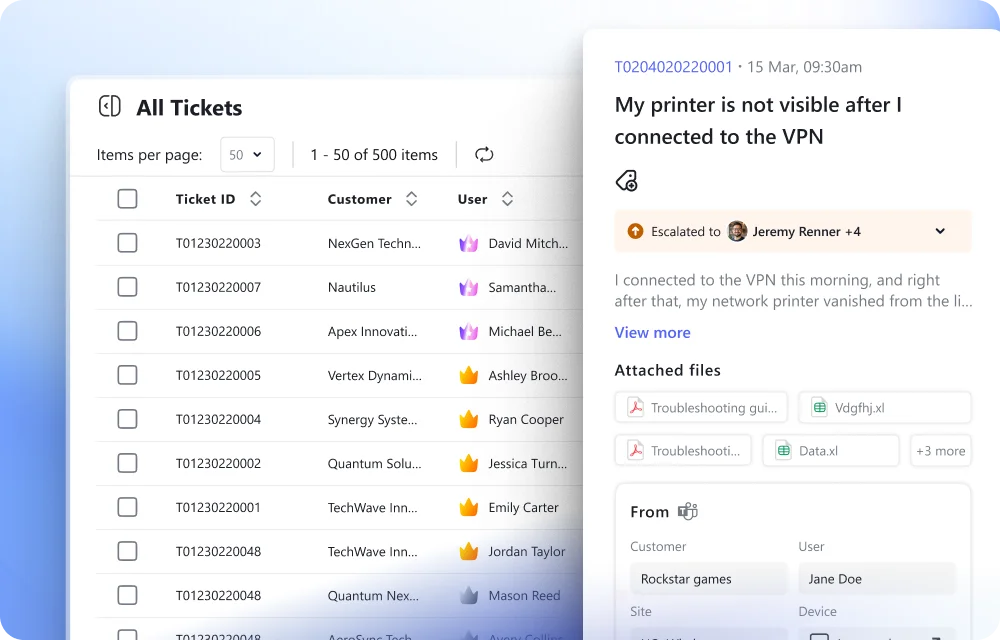
Service boards, SLAs, custom fields, tags, checklists, recurring tickets, QA, and timesheets sit next to billing (products, expenses, taxes, discounts), project management, and client announcements. That means fewer integrations to rebuild during a move.
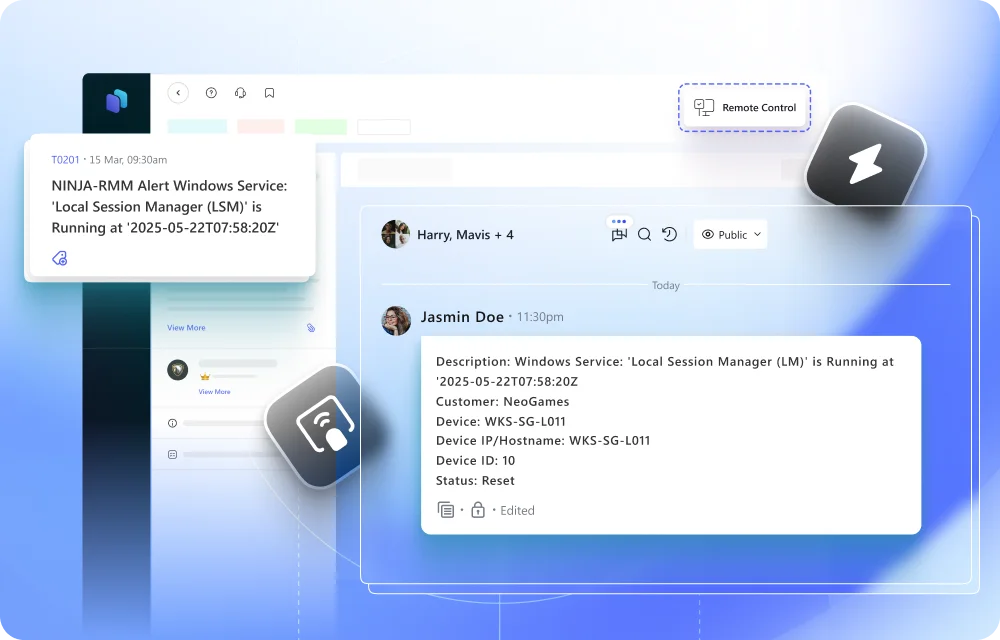
Native integrations with RMM, accounting, and documentation tools, plus an API and MCP support, so your stack can keep changing as AI tools change.
Organization profiles, locations, branding and vanity URLs, role-based access, and MFA are built in.
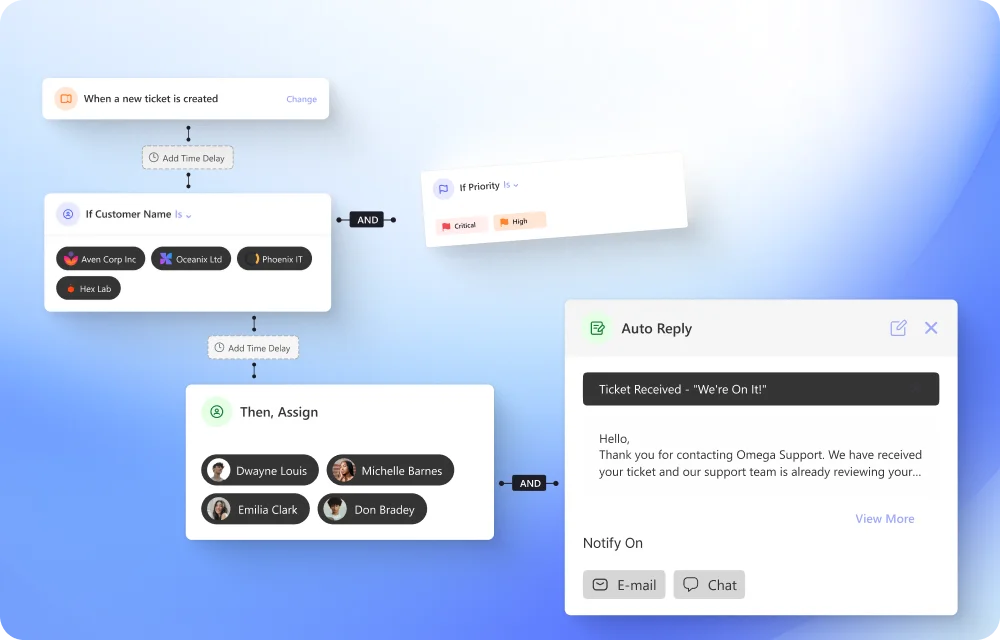
Configurable workflows sit alongside Helena, and DeskDay’s roadmap is moving further into agentic triage and dispatch, so the platform grows with the shift instead of needing to be replaced by it.
If you’re thinking about replatforming, the most useful first step isn’t a switch. It’s a clear look at your data, your workflows, and where you want service delivery to be in two years. If DeskDay fits that picture, the team is glad to walk through a phased path that protects your history and keeps your clients’ experience steady.

Key takeaway: The AI shift is a reason to make your platform decision carefully, not quickly. Protect your data, phase the change, and choose a platform built for where service work is heading.

Get exclusive content on the MSP industry and become a part of the DeskDay community.